
Golf apps make learning and improving your game easier by offering tools like GPS yardages, score tracking, and swing analysis – all on your phone. For beginners, the best apps simplify the game, help with club selection, track progress, and boost confidence on the course. Popular options include 18Birdies, TheGrint, Golfshot, Hole19, and SwingU, each offering free versions with essential features like GPS and scoring. Paid plans, starting around $49.99/year, add advanced tools like wind adjustments and detailed stats.
Key Features Beginners Should Look For:
- Ease of Use: Simple layouts and quick setup (e.g., 18Birdies, Hole19).
- GPS Yardages: Clear distances to greens, hazards, and layup spots.
- Score Tracking: Basic stats like putts, fairways hit, and greens in regulation.
- Handicap Tracking: Apps like TheGrint offer USGA-compliant handicaps for progress tracking.
- Cost: Free versions are sufficient for most beginners; premium plans are optional.
Quick Comparison:
| App | Free Version | Premium Cost (Yearly) | Key Premium Features |
|---|---|---|---|
| 18Birdies | Yes | $99.99 | Wind/elevation adjustments, stats |
| TheGrint | Yes | $69.99 | Handicap, advanced stats |
| Golfshot | Yes | $69.99 | 3D flyovers, detailed course info |
| Hole19 | Yes | $49.99 | Club recommendations, offline mode |
| SwingU | Yes | $49.99 | Elevation adjustments, green maps |
These apps not only improve on-course decisions but also track progress over time. Start with free versions and upgrade only if you need advanced features. Complement your on-course tools with swing analysis apps like V1 Golf or fitness-focused tools like GolfForever to refine skills off the course.
Golf For Dummies – The Best Golf Apps To Improve Your Game
What Beginners Should Look For in a Golf App
Choosing your first golf app can be tricky, especially with so many options claiming to improve your game. The key is to focus on practical features that help you as a beginner, without getting lost in advanced tools you won’t need right away.
Ease of Use and Setup
When you’re new to both golf and golf apps, simplicity is everything. Look for apps with clean layouts, large buttons, and clearly labeled tabs like "Play", "GPS", and "Scorecard." Apps such as 18Birdies and Hole19 are great examples – they offer user-friendly GPS and scoring interfaces that are easy to navigate.
Quick setup is also crucial. Apps that allow for seamless sign-ins (like using Apple or Google accounts), automatic course detection, and minimal configuration will get you on the course faster. That’s one less thing to worry about when you’re already juggling first-round nerves and learning the rules.
Most top GPS apps already come preloaded with over 42,000 courses worldwide, so you won’t waste time searching for your home course. Features like automatic round saving, one-tap score entry, and prompts like "Next Hole" make it easier to stay focused on your game rather than fiddling with your phone.
These beginner-friendly interfaces create a solid foundation for learning, which is where the core features come into play.
Core Features for Beginners
For beginners, the most important tools are clear and straightforward. Apps should display yardages to the front, middle, and back of the green without overwhelming you with complex overlays. Both 18Birdies and Hole19 excel here – they provide simple distance readings and a clear view of the hole, so you can easily spot hazards and make confident decisions. For example, knowing "the middle of the green is 120 yards" simplifies club selection and builds confidence.
Basic scorecards are another must-have. They should track strokes, putts, and fairway hits, giving you a quick snapshot of your progress. Apps like 18Birdies and TheGrint make it easy to enter scores after each hole, automatically calculating totals for the round. Many also offer simple stats like your average score, putts per round, and fairway or green-in-regulation percentages – valuable insights without overwhelming you with data.
Handicap tracking becomes useful once you start playing full 9- or 18-hole rounds regularly. Apps like TheGrint and 18Birdies include handicap features, with TheGrint even offering USGA-compliant handicaps. These tools let you monitor your progress over time without needing to join a club. Look for apps that explain handicap changes in plain terms, such as "Your index dropped from 28.5 to 27.3 this month", rather than just showing numbers. As you gain experience, you can explore advanced features like shot tracking or club-specific distances, but those can wait until you’re more comfortable with the basics.
Pricing and Accessibility
Cost is another important factor for beginners. The good news? Most apps offer free versions that include GPS yardages, basic scoring, and simple stats – everything you need to get started. Apps like 18Birdies, Hole19, Golfshot, and TheGrint all offer strong free tiers. Premium plans, which add features like advanced stats, club recommendations, and 3D green maps, typically range from $49.99 to $99.99 per year.
Start with the free options, and only consider upgrading to premium plans after playing enough rounds to justify the cost. Many apps offer free trials for their premium features, so you can test them out before committing.
Here’s a quick comparison of popular apps:
| App | Free Version | Premium Annual Cost | Key Premium Features |
|---|---|---|---|
| 18Birdies | Yes | $99.99 | Advanced stats, club recommendations, elevation/wind adjustments |
| TheGrint | Yes | $69.99 | USGA-compliant handicap, premium stats, club recommendations |
| SwingU | Yes | $49.99 | Elevation/wind adjustments, advanced analytics, club recommendations |
| Hole19 | Yes | Varies | Premium features available, offline functionality included in free version |
For beginners, a budget of $0–$5 per month is plenty. Look for apps compatible with both iOS and Android, and make sure they work well on older devices. Features like smartwatch integration and offline modes can also be helpful, especially if you’re playing in areas with poor cell service.
Finally, pay attention to recommendations from teaching pros and trusted golf publications. Apps frequently mentioned by PGA-affiliated sources or major golf media are often reliable. High app-store ratings, frequent updates, and responsive customer support are additional signs of a well-maintained app you can count on.
Top Golf Apps for On-Course Learning
With the key features outlined, let’s dive into some of the best golf apps designed to improve your on-course experience. These five options shine for their precise GPS capabilities, easy-to-use scorekeeping, and beginner-friendly layouts.
18Birdies Golf GPS Rangefinder & Scoring App
18Birdies is one of the most widely used golf apps, earning 25% of reader votes in a recent poll. It offers GPS mapping for over 42,000 courses, providing accurate yardages and hazard distances. For beginners, the clear distance markers simplify club selection and help with course strategy. The app also includes a digital scorecard that automatically tracks your strokes, putts, fairways hit, and greens in regulation, offering you insights into your game without needing a coach. It’s compatible with Apple Watch, so you can check distances directly from your wrist. The free version includes core features like GPS, scoring, and an in-app handicap. For those who want more, the premium version ($99.99 per year or $19.99 per month) adds advanced tools like elevation- and wind-adjusted distances, club recommendations, 3D green maps, and detailed shot analysis. During testing, users noted that 18Birdies "delivers crisp, clear satellite images on the course".
Golfshot Golf GPS
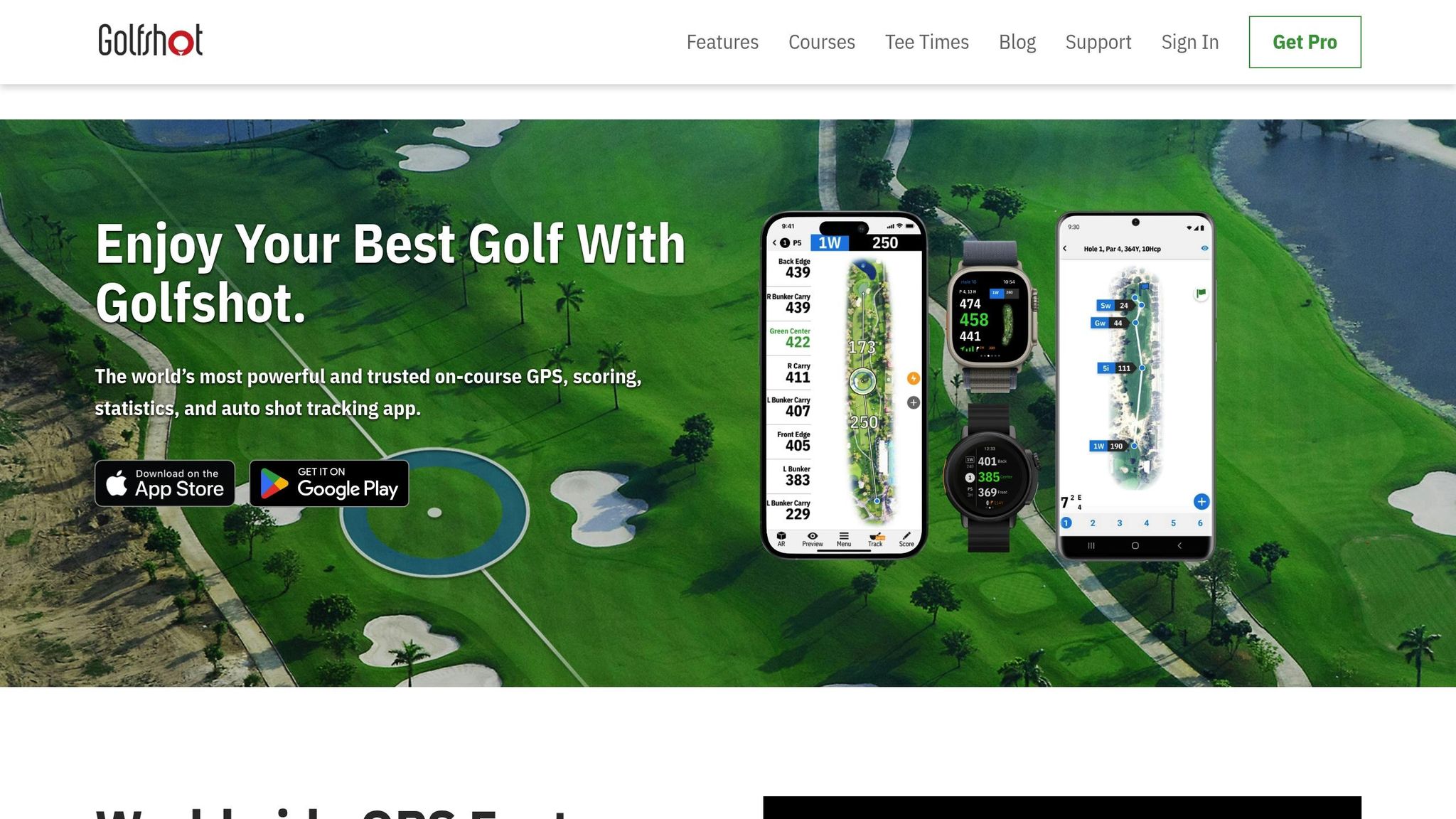
Golfshot is a favorite among beginners thanks to its easy-to-navigate interface and precise yardage measurements to greens, hazards, and layup points. One standout feature is the flyover view, which provides a 3D overhead look at each hole, showcasing bunkers, water hazards, and doglegs. This helps players visualize the layout and make better decisions. The app also offers auto-scoring and tracks key stats like fairways hit, greens in regulation, and putts per hole, letting you focus on your game while collecting useful data. Available on iOS, Android, and smartwatches, Golfshot offers a premium version for $69.99 per year, which includes advanced stats, flyovers, and detailed course information.
TheGrint Handicap & Score Tracker
TheGrint is an excellent choice for beginners in the U.S., offering a USGA-compliant handicap at no extra charge. Alongside this, it provides GPS yardages and a straightforward digital scorecard that automatically tracks stats like fairways hit, greens in regulation, and putts. The free version is perfect for learning how to manage your score and navigate a course. If you opt for the paid version ($69.99 annually), you’ll unlock additional features like club recommendations, course previews, more precise distance details, and in-depth stat reports. Its focus on handicap tracking makes it especially helpful for monitoring your progress as you play full rounds.
Hole19 Golf GPS

Hole19 is a standout for its completely free offering, which still packs plenty of functionality. It provides accurate GPS yardages to the front, middle, and back of greens, as well as hazards and doglegs, across thousands of courses. Its clean interface ensures that essential course details are easy to access. Plus, the app works offline, so you can rely on it even in areas with poor cell coverage. For those looking for more, a premium version is available at $49.99 per year, offering features like club recommendations and detailed stat analysis. However, the free version is more than enough for beginners.

SwingU Golf GPS App
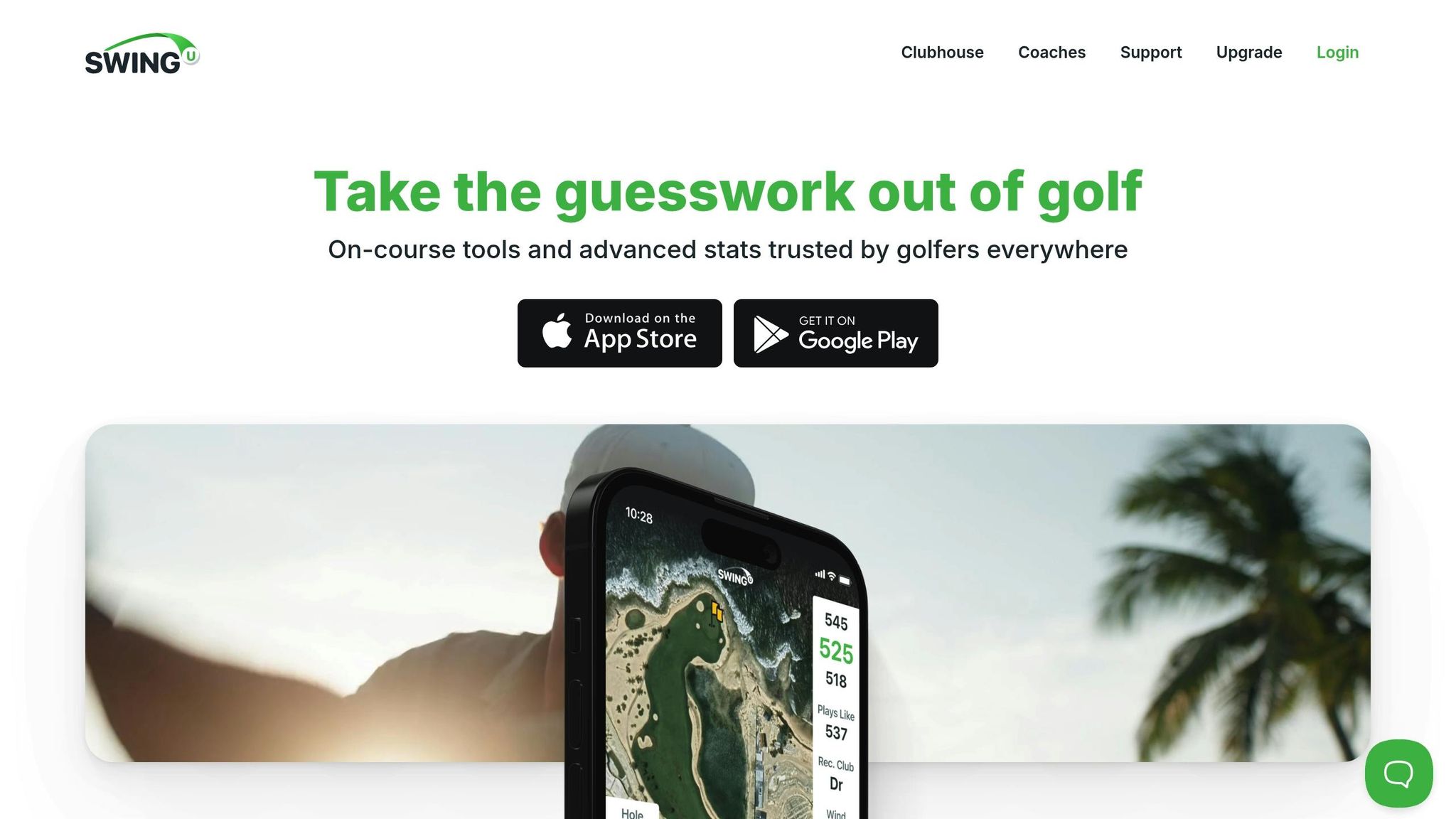
SwingU combines essential on-course tools with coaching features. It delivers GPS yardages to greens, hazards, and targets, along with a digital scorecard. The app’s "coach mode" offers video lessons and practice drills, making it a great option for structured learning. The free version includes basic GPS, scoring, and handicap tracking. For $49.99 per year, the paid plan adds advanced features like elevation- and wind-adjusted distances, club recommendations, and green maps. SwingU also works seamlessly with smartwatches, including Apple Watch and Wear OS devices, so you can quickly check distances without pulling out your phone.
These apps not only simplify on-course decisions but also provide valuable tools to refine your game. Up next, we’ll explore the best apps for practice and swing training to take your skills to the next level.
sbb-itb-bcd8bdd
Best Apps for Practice, Swing Training, and Fitness
Apps designed for off-course training can elevate your golf game by focusing on video analysis, ball flight tracking, and fitness routines tailored to your swing.
V1 Golf Video Swing Analysis
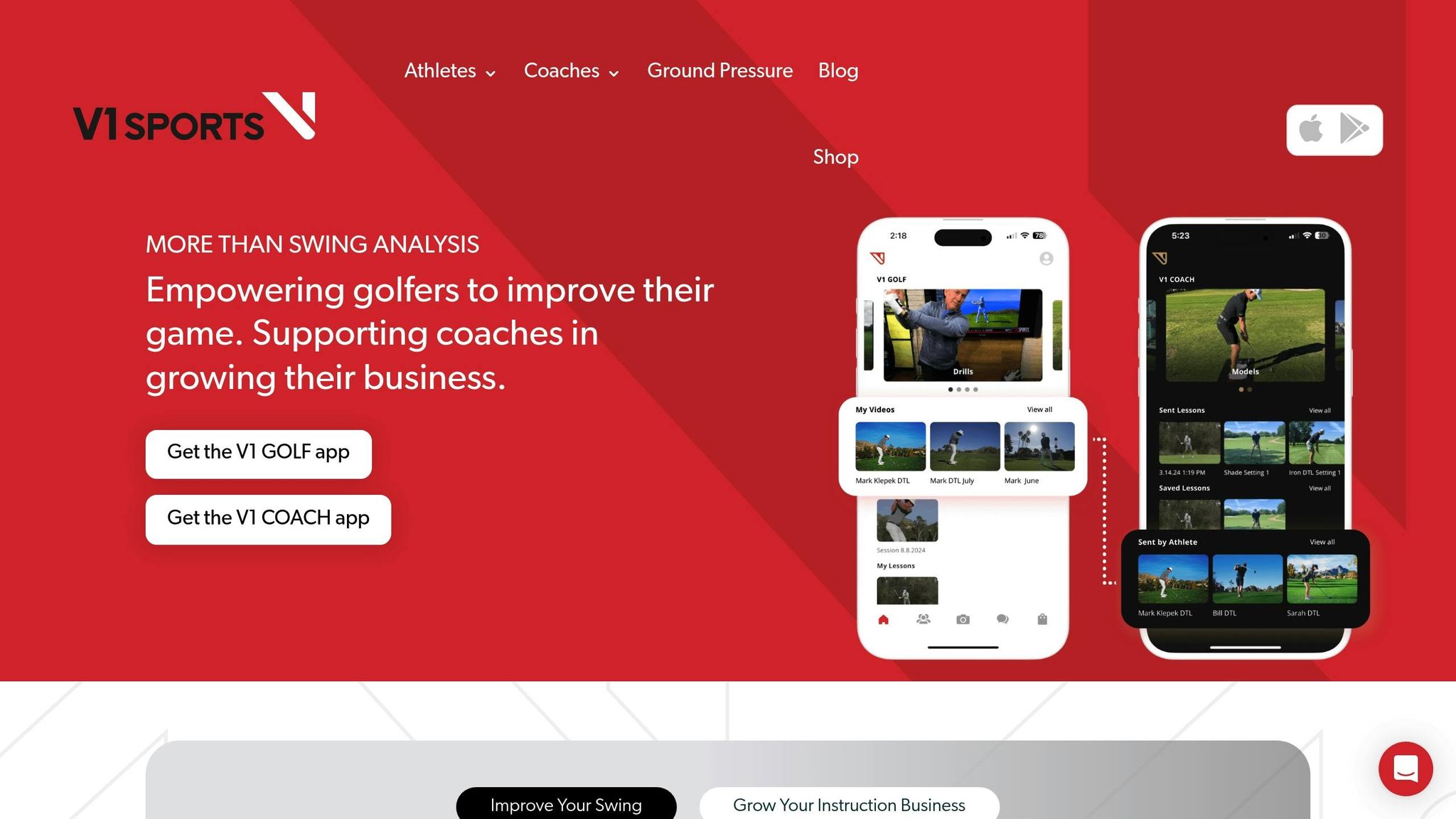
This app allows you to record your swing from different angles, helping you identify areas for improvement in grip, posture, and follow-through. One standout feature is the side-by-side comparison tool, which lets you compare your swing to that of a professional golfer. This makes it easier to spot differences in technique and refine your form.
The visual feedback provided by the app simplifies swing mechanics, offering clear insights into elements like hip rotation. It’s particularly helpful for self-review after playing 10–15 rounds, giving you a solid foundation for improvement.
Smoothswing Shot Tracer
Smoothswing shifts the focus to ball flight rather than swing positions. This iOS app tracks and visualizes the flight path of your golf ball, creating videos that show exactly where your shots land. By watching the ball’s trajectory in slow motion, you can identify patterns like slices or inconsistent flight heights that might not be obvious during play.
In addition to its shot-tracing feature, the app provides precise GPS distances to greens and hazards, offering valuable insights into how your swing translates to actual course performance. However, keep in mind that Smoothswing is designed to work exclusively with white golf balls and is currently available only for iOS devices.
GolfForever Fitness Training

Limited hip rotation, shoulder stiffness, or a weak core can all interfere with your swing. Golf-specific fitness apps address these challenges by focusing on mobility, strength, and injury prevention.
GolfForever provides daily guided workouts tailored to your fitness level and goals. These routines are designed to enhance mobility and flexibility, particularly in the hips, shoulders, and thoracic spine, which are crucial for better rotation and club control. The app also includes a Swing Trainer tool that doubles as a speed trainer, blending flexibility exercises with swing-specific movements for a more dynamic workout.
If you’re new to golf fitness, start by focusing on your on-course play and basic swing mechanics. Once you’re ready, incorporating 15–20 minutes of golf-specific fitness training three to four times a week can help build a strong physical foundation. This is especially beneficial if you already struggle with mobility issues.
Combining GPS tracking, swing analysis, and fitness training creates a well-rounded system for improvement, setting the stage for even more advanced digital tools. These resources can help you take your game to the next level.
How To Break 80 Digital Resources
While mobile apps can track your on-course stats, they often fall short when it comes to offering detailed instruction. That’s where How To Break 80 steps in. This resource combines data with actionable guidance, connecting your on-course performance to focused skill development. Whether it’s through eBooks, video courses, or free guides, How To Break 80 helps you turn raw numbers into meaningful improvements.
The emphasis here is on practical techniques for core golf skills like putting, driving, and swing mechanics – areas that can make or break your score. While apps give you the stats, How To Break 80 explains the why behind them, offering drills and strategies to help you improve off the course.
eBooks for Golf Improvement
The Essential Golf Improvement eBook Bundle is available for $19.00 and provides a collection of guides packed with drills and tips to help you break 80. These eBooks are perfect for self-paced learning, allowing you to revisit key concepts whenever you need.
For a more in-depth approach, the How To Break 80 eBook ($29.00) covers every aspect of the game. It includes detailed strategies and drills for putting, driving, and more – making it a valuable tool for addressing weaknesses identified through your performance tracking.
Video Courses for Swing and Putting
If you’re a visual learner, video courses from How To Break 80 can make a big difference. These courses demonstrate techniques in action, breaking down common challenges golfers face.
- Precision Putting Video Course ($49.00): This course focuses on improving your putting stroke with drills for grip, alignment, and stroke mechanics. It’s ideal if your stats show putting as a weak spot.
- Maximum Distance Video Course ($49.00): Learn how to add power and control to your drives. Use your data to identify driving issues, then watch this course to refine your technique.
- Fix Your Slice & Hit a Draw Video Course ($99.00): Struggling with slicing? This course provides step-by-step guidance to correct your slice and master a controlled draw.
These structured lessons are designed to address specific areas of improvement, offering clear, actionable steps.
Free Guides and Blog Articles
For additional help, How To Break 80 also offers free resources to enhance your practice sessions. The Ultimate Distance Master Class is a free video course that promises to help you add 30–50 yards to your drives while improving accuracy. Access is simple – just sign up with your name and email.
The blog is another great resource, featuring articles on topics like mental game strategies, driving accuracy, and scoring tips. For example, if your short game is holding you back, the blog provides practical advice on chipping and pitching techniques. These articles are a great way to stay motivated and gain fresh insights as you work to improve your game.
Conclusion
Starting out with golf apps doesn’t have to feel overwhelming. For beginners, it’s smart to begin with a free GPS and scoring app like 18Birdies, TheGrint, or SwingU. These apps provide GPS mapping, basic stat tracking, and handicap calculations – all without costing a dime upfront. Spend some time, say 10–15 rounds, using these tools to build the habit of tracking your game before considering any upgrades.
To get the most out of your learning journey, consider combining different types of apps. Use GPS and scoring apps during your rounds to improve course management and monitor your performance. Pair that with a structured practice app, such as Perfect Practice Golf, to focus on specific skills during your weekly range sessions. For those working on swing mechanics, apps like Smoothswing or V1 Golf can help you analyze your swing and pinpoint areas that need work.
While apps are fantastic at tracking stats, they’re even more effective when paired with instructional tools. For example, if your app shows you’re averaging 35 putts per round or frequently missing fairways, it won’t necessarily tell you why that’s happening or how to fix it. That’s where resources like How To Break 80 come in handy. They offer video lessons on swing mechanics, putting, and driving strategies, helping you turn raw data into actionable improvements.
Start with the free versions of these tools, and only consider upgrading when you’ve identified specific areas of your game that need extra attention.
FAQs
What should I look for in a golf app as a beginner?
When you’re just starting out, focus on golf apps that are simple to navigate and aim to boost your confidence on the course. Features like swing analysis, step-by-step tutorials, and GPS course mapping can be game-changers as you learn the fundamentals.
Apps that include practice drills, score tracking, and beginner-friendly tips can also make a big difference. Choose one that runs smoothly on your device, offers clear guidance, and helps you sharpen your skills without overwhelming you.
Are free golf apps good enough for beginners, or is it worth paying for premium features?
Free golf apps are a solid starting point for beginners, providing useful tools like score tracking, basic swing analysis, and course maps. These features are often enough to help new golfers get a handle on their game and start making progress.
That said, if you’re aiming to take your skills to the next level, upgrading to a premium plan could be worth it. Premium options often include advanced perks like detailed swing breakdowns, personalized coaching, and exclusive drills. Take a moment to think about your goals and what you need to improve before deciding if the extra cost aligns with your learning journey.
How can golf apps help me track and improve my handicap?
Golf apps can be incredibly helpful for tracking your game and working on your handicap. They let you record your scores, break down your performance, and pinpoint specific areas for improvement – whether it’s fine-tuning your putting or adding distance to your drives.
Many of these apps go beyond the basics, offering tools like GPS course maps, swing analysis, and tailored tips based on your stats. By using these features regularly, you can keep a close eye on your progress and set realistic goals to bring your handicap down over time.
Related Blog Posts
- How Tech Enhances Junior Golf Swing Analysis
- 5 Metrics To Track Golf Practice Effectiveness
- Top 5 Real-Time Putting Stroke Analyzers 2025
- How Driving Accuracy Apps Help Lower Scores
