
Golf isn’t just about hitting the ball far – it’s about smart decisions. Course strategy simulators help golfers plan shots, avoid hazards, and improve decision-making, whether you’re a beginner or experienced player. Unlike swing-focused tools, these simulators emphasize course management, offering features like detailed course mapping, wind adjustments, and hazard navigation. Here are three standout options:
- GSPro: Known for lifelike course recreation using lidar mapping, it offers 1,000+ user-created courses and stunning 4K graphics. ($250/year)
- E6 Connect: Great for multiplayer use, it supports iOS and Windows, with 200+ courses available through subscriptions ($300–$600/year).
- SkyTrak Course Play: Easy to use and portable, it works across multiple platforms and includes 70+ iconic courses. Hardware costs ~$2,000.
Quick Comparison
| Feature | GSPro | E6 Connect | SkyTrak Course Play |
|---|---|---|---|
| Course Library | 1,000+ (User-created) | 39–200+ | 70+ |
| Platforms | Windows PC Only | iOS, Windows | iOS, Android, PC, macOS |
| Cost | $250/year | $300–$600/year | ~$2,000 (hardware) |
| Best For | Realism & Custom Courses | Multiplayer & Versatility | Portability & Simplicity |
These simulators offer tools to sharpen your game in a risk-free environment, helping you lower scores and approach the course with confidence.
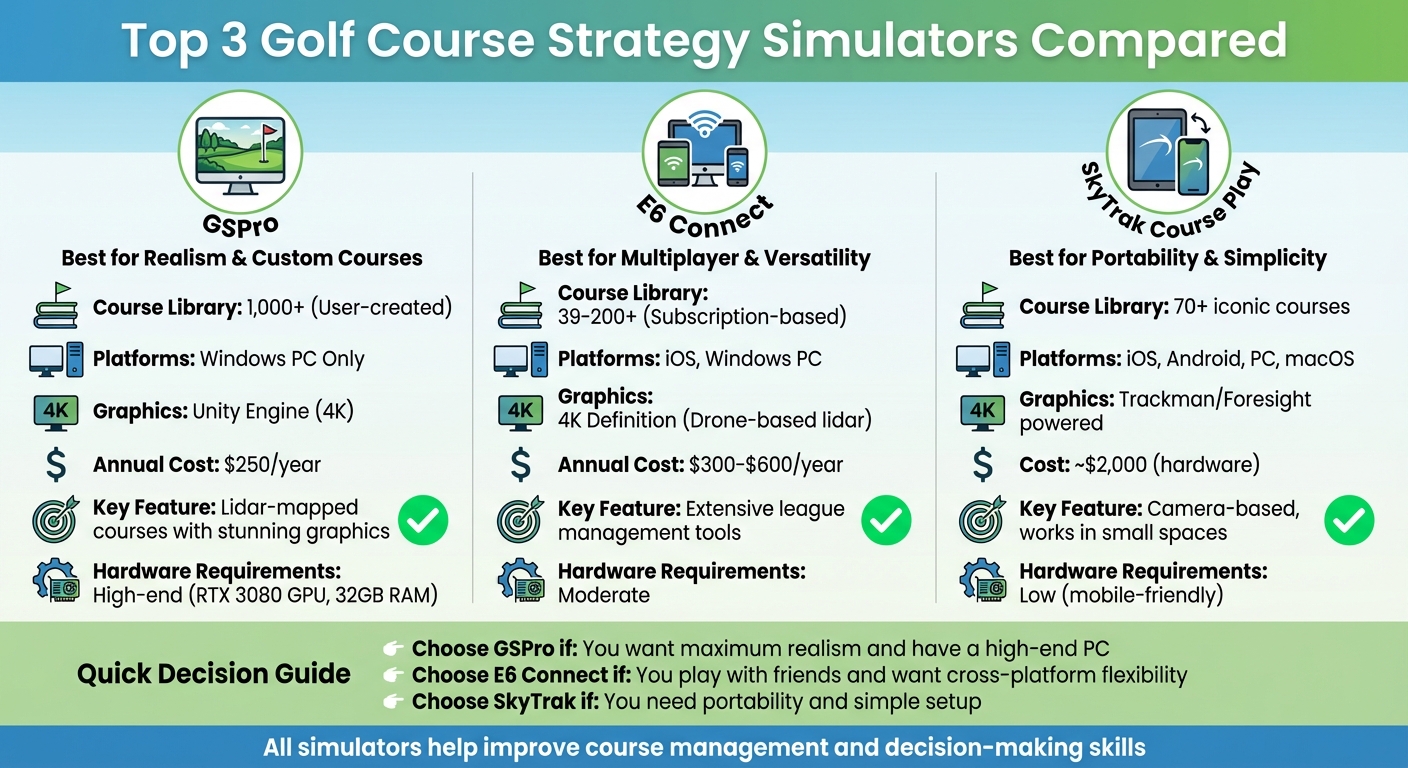
Golf Course Strategy Simulator Comparison: GSPro vs E6 Connect vs SkyTrak
Top Course Strategy Simulators for Golfers
Here’s a rundown of the top course strategy simulators that can help golfers refine their game. These platforms are designed to translate strategic insights into measurable progress, all while enhancing your on-course decision-making skills.
Simulator 1: GSPro
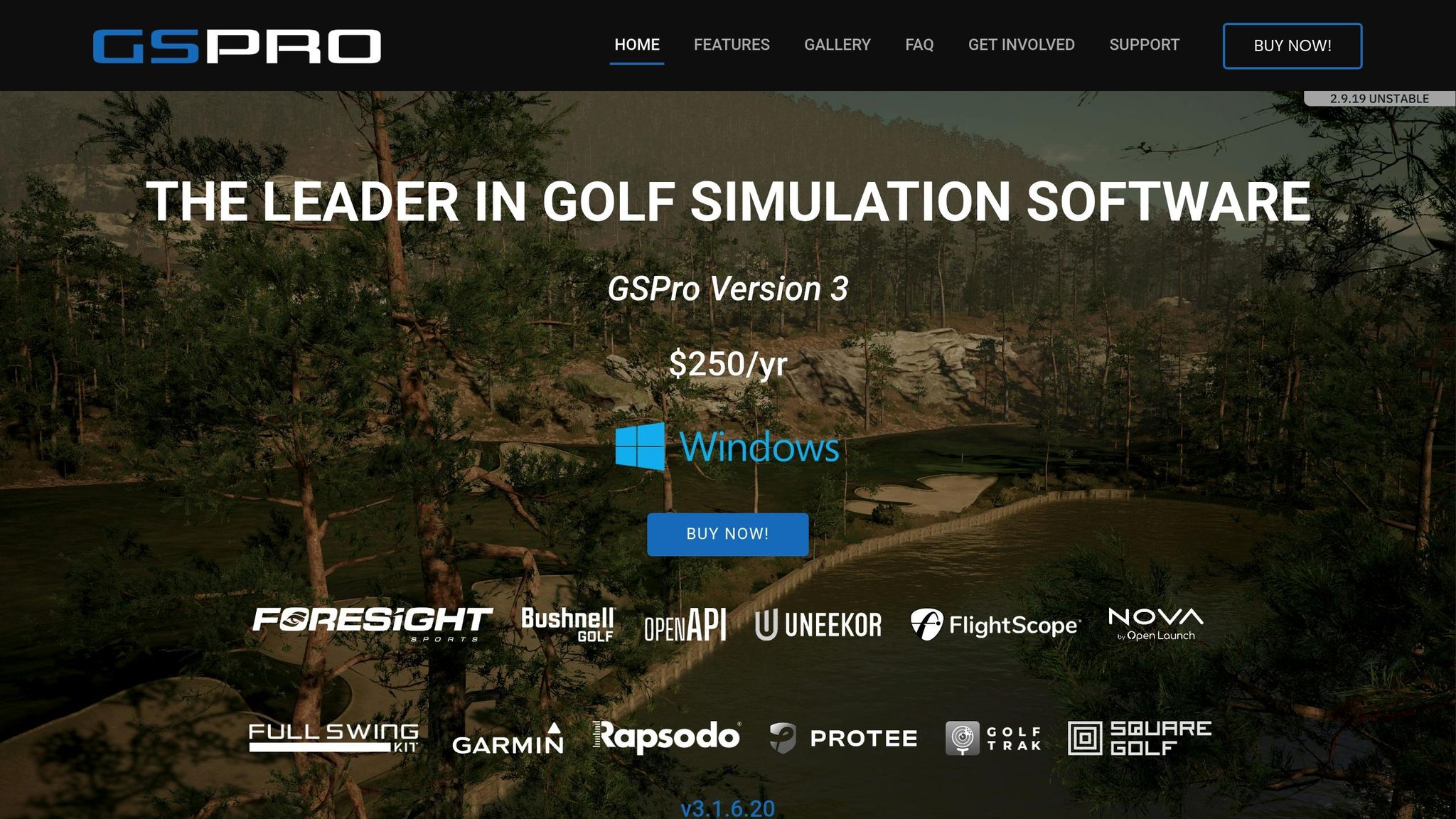
GSPro is a favorite among serious golfers who want the most lifelike course experience. Built using the Unity gaming engine, it offers stunning 4K graphics and boasts a library of over 1,000 lidar-mapped courses created by its active community. The lidar technology ensures every bunker, slope, and contour is captured with precision, providing an incredibly realistic environment.
GSPro operates exclusively on Windows PCs and requires a robust setup, including an RTX 3080 GPU and 32GB of RAM. The software is available for $250 per year.
One standout feature is its support for community-created courses. Golfers can even have their local or favorite courses custom-designed, allowing for targeted practice on familiar layouts.
Simulator 2: E6 Connect

If versatility and multiplayer options are what you’re after, E6 Connect is a strong contender. Compatible with both iOS and Windows PCs, it uses drone-based lidar mapping to recreate courses with impressive detail. This platform excels in multiplayer settings, offering extensive league management tools that make it a hit for group play and tournaments.
E6 Connect offers two subscription plans: the Basic plan at $300 per year, which includes 39 courses, and the Expanded plan at $600 per year, unlocking access to over 90 courses. In total, more than 200 virtual courses are available for practice and play.
Its cross-platform functionality lets you seamlessly switch between devices. For instance, you can start a session on your PC and later review your performance data on an iPad, adding a layer of convenience to your training routine.
Simulator 3: SkyTrak Course Play
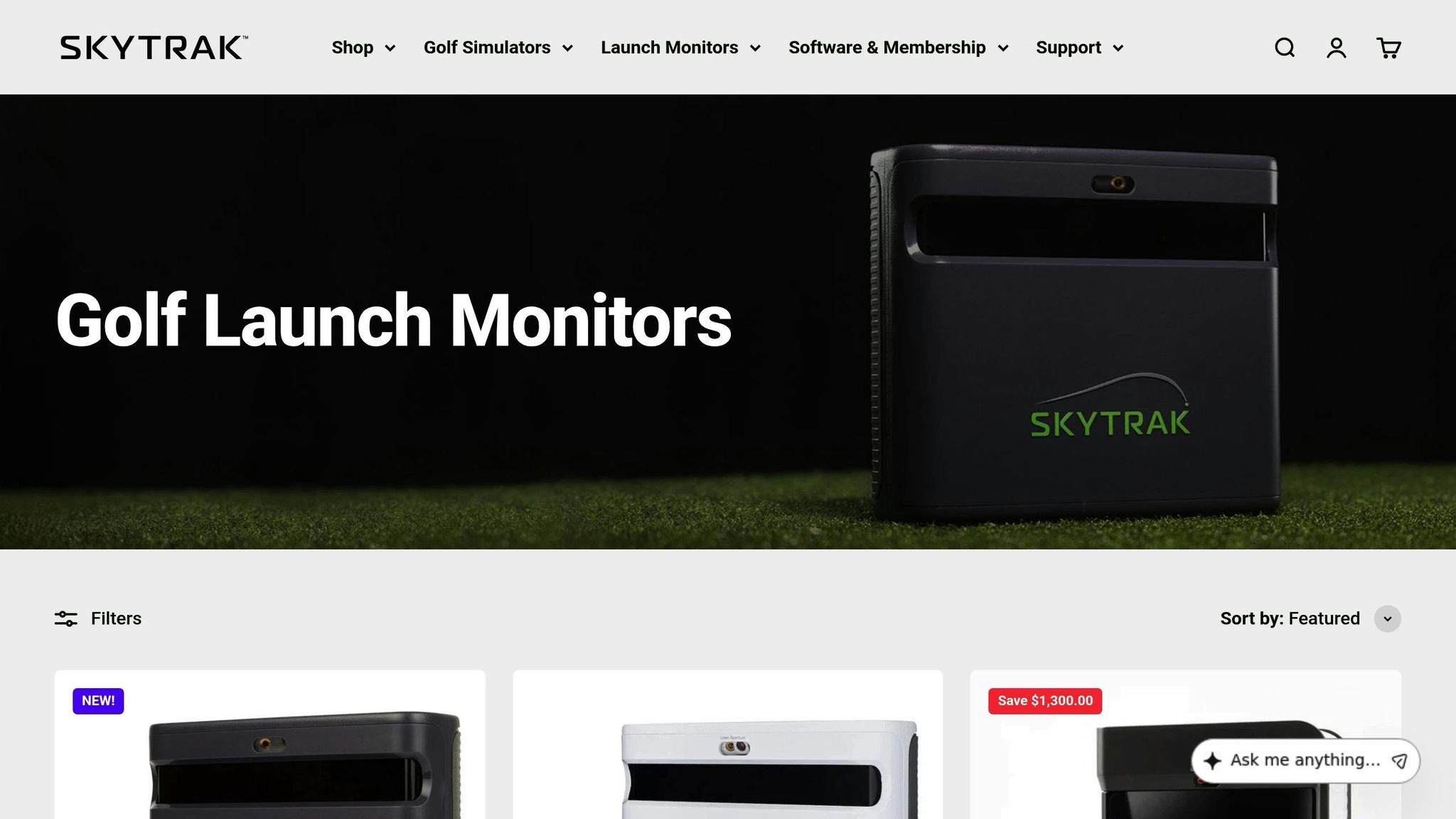
For those seeking ease of use and portability, SkyTrak Course Play delivers an accessible experience across multiple devices, including iOS, Android, PC, and macOS. With over 70 renowned courses powered by mapping technologies from Trackman and Foresight, this simulator brings some of the world’s most iconic layouts to your home.
SkyTrak combines impressive graphics with a mobile-friendly design, making it simple to set up and start practicing. While the software pricing depends on membership options, the hardware itself costs around $2,000. Its camera-based technology is particularly effective in smaller indoor spaces, as the sensor sits beside the ball rather than requiring a large area behind you.
The portability and straightforward setup mean you don’t need a high-end gaming PC or technical know-how to get started. This makes it easy to focus on your game rather than dealing with complicated equipment.
| Feature | GSPro | E6 Connect | SkyTrak Course Play |
|---|---|---|---|
| Course Library | 1,000+ (User-created) | 39–90+ (Subscription-based) | 70+ |
| Platform | Windows PC Only | iOS and Windows PC | iOS, Android, PC, macOS |
| Graphics Engine | Unity (4K) | 4K Definition | Trackman/Foresight |
| Cost | $250 per year | $300–$600 per year | ~$2,000 (hardware cost) |
| Best For | Realism & Community Content | Multiplayer & Cross-platform Use | Ease of Use & Portability |
Key Features to Look for in a Course Strategy Simulator
Accurate Course Mapping
The cornerstone of any great simulator is its ability to replicate real-world courses with precision. Using advanced engines like Unity, top-tier systems recreate every detail, from the contours of bunkers to the subtle slopes of greens. This level of accuracy allows you to test strategies on specific holes, preparing you for the actual course like never before.
Leading simulators rely on real-world data from trusted names like Trackman and Foresight to ensure virtual courses are faithful to iconic layouts. High-end systems take it a step further by incorporating moving swing plates to simulate uphill, downhill, and sidehill lies, along with varied hitting surfaces such as rough and sand. For added realism, factors like wind and humidity are integrated into the simulation.
"This real-world mirroring makes it easier for you to translate best practices in the simulator to the best results outside." – AccuGOLF
With such precise mapping, these simulators provide a foundation for a variety of practice modes tailored to your needs.
Adjustable Skill Levels
A great simulator grows with you, adapting to your skill level as you improve. Look for software that offers customizable settings, such as adjustable pin positions, wind conditions, and green speeds. For beginners, features like "boost" modes or forgiving physics help keep practice sessions fun and motivating. Meanwhile, advanced players benefit from realistic interactions with wind, spin, and turf.
Many systems also include targeted training modules to focus on specific areas of your game. For instance, Uneekor Refine offers five distinct modes: Short Game Complex, Driving Range, Course Practice, Stroke Play, and Challenge. Some simulators even integrate AI-driven coaching, delivering real-time feedback on your swing mechanics and assigning a "Swing Score" to track progress over time. The Trackman Combine, for example, provides a 60-shot test that benchmarks your performance against others, helping you measure improvement.
By tailoring these settings and leveraging the training tools, you can refine your skills and elevate your game.
Data Feedback and Analysis
Data is the bridge between practice and performance. A good simulator provides detailed ball and club metrics, such as ball speed and spin rates, to give you a clear understanding of your yardages. But numbers alone aren’t enough. Impact analysis, like Face-to-Path data and Face Impact Location, shows where the ball struck the clubface – essential for diagnosing directional issues.
It’s best to focus on two or three key metrics during each session. For example, if you’re working on shaping your shots, Face-to-Path is the metric to watch. For drivers, a Smash Factor between 1.4 and 1.5 indicates optimal energy transfer. Many systems also offer video feedback, including slow-motion replays at impact, so you can visually confirm what the data is telling you. Advanced setups even feature infrared putting pads to measure face angle and tempo, helping you fine-tune your short game.

| Metric | Target Range | What It Tells You |
|---|---|---|
| Face-to-Path | 3.0° to -3.0° | Indicates shot shape |
| Attack Angle (Driver) | +3.0° to +5.0° | Optimizes launch and distance |
| Smash Factor (Driver) | 1.4 to 1.5 | Measures strike efficiency |
| Smash Factor (Irons) | 1.3 to 1.4 | Reflects ball-striking consistency |
These insights give you the tools to make smarter decisions on the course, turning practice into measurable progress.
sbb-itb-bcd8bdd
How To Break 80: Resources for Smarter Golf

Practical Tips for Course Management
Course strategy simulators can provide valuable insights to help you lower your scores. How To Break 80 takes these insights and translates them into actionable advice with resources like its Launch Monitor Guide, which explains key metrics such as carry distance, ball speed, and spin rate. This practical guidance helps you make the most of your simulator sessions and refine your on-course strategies.
Sean Ogle, the founder, highlights that the accuracy of a launch monitor depends heavily on proper setup. Factors like lighting, device placement, and even weather conditions can influence the data you receive. To ensure you’re getting reliable feedback, the platform includes detailed guides to fine-tune your simulator environment, making sure the data you collect is both accurate and useful.
Beyond setup, How To Break 80 offers tailored advice to meet individual goals. For instance, the platform features a personalized quiz to match you with the perfect launch monitor based on your objectives – whether that’s improving your wedge game, mastering course management, or finding a monitor that integrates seamlessly with your simulator software.
Guides for Breaking 80
If breaking 80 is your goal, How To Break 80 provides tools to help you get there consistently. For $29.00, its eBook delivers drills and strategies designed to elevate your game. To complement this, the platform offers video courses like Precision Putting ($49.00), Fix Your Slice & Hit a Draw ($99.00), and Maximum Distance ($49.00). These courses focus on everything from putting accuracy and shot shaping to maximizing power, making them an excellent addition to your simulator practice.
With over a decade of product reviews and course analysis, Sean Ogle has developed a comprehensive library of resources. By combining simulator data with structured instruction, How To Break 80 aims to fast-track your improvement and help you make smarter decisions on the course.
Conclusion: Choosing the Right Simulator for Your Game
Selecting the best course strategy simulator comes down to three main considerations: the space available, your budget, and your specific improvement goals. If you’re working with limited space, camera-based systems like SkyTrak or Foresight GC3 are excellent choices since they require less depth. On the other hand, radar-based systems, such as Trackman or Mevo+, typically need up to 21 feet of depth to function effectively. Before committing to a purchase, make sure your swing area has sufficient ceiling height and width to accommodate your setup.
When it comes to budget, there are options for every price range. Beginners might find entry-level systems like OptiShot 2 (around $300) or Garmin Approach R10 (around $600) to be a good starting point. For more accurate feedback, mid-range systems such as SkyTrak (priced between $2,000 and $3,000) are worth considering. If you’re after tour-level precision, high-end systems like Trackman 4 (over $20,000) deliver unparalleled performance. For those eyeing systems in the $5,000–$7,000 range, many retailers offer 0% financing, making these options more accessible.
To get the most out of your simulator, pair its data with real-play equipment to ensure accurate measurements for distance and spin. Features like SkyTrak’s Wedge Matrix or Uneekor Refine’s Short Game Complex are particularly useful for dialing in your yardages and refining your short game. These tools can significantly enhance your on-course performance.
Additionally, resources like How To Break 80 can help turn raw simulator data into actionable strategies. Their Launch Monitor Guide breaks down essential metrics like carry distance and spin rate, while courses such as Precision Putting ($49) and Fix Your Slice & Hit a Draw ($99) provide targeted drills to improve your game. By integrating these tools and strategies, you can take your skills to the next level.
FAQs
What should I look for in a golf course strategy simulator?
When picking a golf course strategy simulator, there are three main factors to weigh: accuracy, software features, and practicality. The best systems offer detailed swing data, including metrics like club speed, launch angle, spin rate, and carry distance. For the most precise feedback, look for simulators with dual-tracking technology or those that capture both club and ball data in real time.
You’ll also want to evaluate the software and course selection. A quality simulator should feature a mix of U.S. courses, including PGA Tour favorites, with detailed maps and tools to analyze hazards, wind conditions, and shot placement. Clear visuals and user-friendly software – ideally compatible with mobile and desktop devices – make it much easier to refine your game.
Lastly, consider your space and budget. Most setups need at least a 10 ft × 10 ft area with a 9 ft ceiling, though compact and portable options exist for tighter spaces. Prices vary widely, from a few hundred dollars for basic models to over $40,000 for advanced systems. Decide if you want a full enclosure or a simpler setup. Don’t forget to check for warranties, customer support, and software updates to ensure your investment pays off in the long run.
How does course mapping technology make golf simulators more realistic?
Course mapping technology transforms virtual golf into an immersive experience by replicating the intricate details of real-world courses. High-precision tools like lidar scans and drone imagery capture everything – right down to the slopes of fairways and the subtle contours of greens. The result? Simulators that bring famous courses to life with stunning visuals and precise elevation models.
By incorporating real-world measurements, these simulators ensure that every ball flight, roll, and bounce mirrors how it would behave on the actual course. This level of realism allows golfers to refine their skills, from choosing the right club to perfecting shot placement, all while playing in conditions that feel just like the real thing.
What are the benefits of using a golf simulator to improve course strategy?
Using a golf simulator can completely transform how you approach your game strategy. It lets you virtually play on legendary courses, giving you the chance to study hole layouts, weigh risk versus reward, and sharpen your shot decisions – all without leaving your home. This virtual practice helps you get comfortable with tricky hazards, doglegs, and greens, so you’re more confident when you’re out on the actual course.
Today’s simulators go beyond just gameplay – they offer detailed performance insights. Metrics like clubhead speed, spin rate, and shot distance are tracked and analyzed. By reviewing this data, you can spot trends, tweak your technique, and make smarter choices during your rounds.
One of the best perks? You can practice anytime, no matter the season or weather. Whether it’s late at night or during a snowstorm, you can focus on specific holes or scenarios, building consistent strategies based on real feedback. If you’re looking for extra drills or advice, resources like How To Break 80 provide helpful guides and videos to enhance your simulator sessions.
Related Blog Posts
- Top 7 Laser Putting Aids for 2025
- Top 5 Putting Boot Camps for Golfers
- Corporate Golf Skills Assessment Tools
- Best Golf Apps for Beginners: Top Picks
