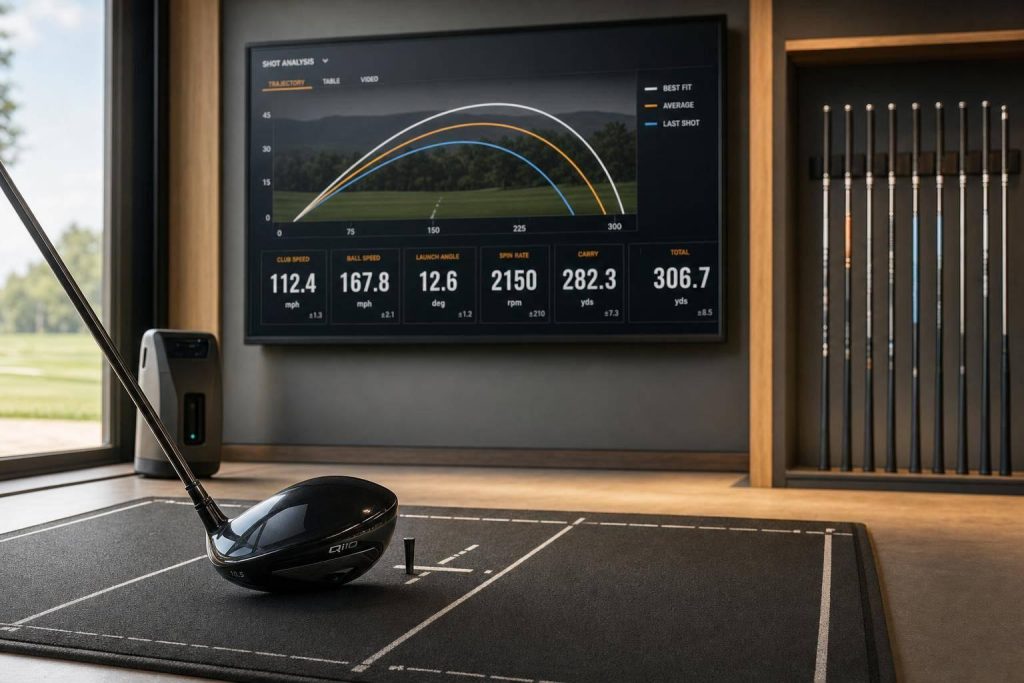
Machine learning helps turn swing data into a tighter club recommendation. In plain English: it uses numbers like ball speed, launch angle, spin, club path, and face-to-path to suggest club settings that fit how you swing.
Here’s the short version:
- It starts with data. The model needs ball-flight and swing data to do anything useful.
- Some numbers matter more than others. For example, driver smash factor often sits around 1.45 to 1.50 for solid contact, and face-to-path within ±2° is often close to neutral.
- It can point to changes in loft, lie, shaft flex, shaft weight, club length, and clubhead design.
- Launch monitor data is better than phone video for final spec decisions, though video can still help with early checks.
- The recommendation is a starting point, not the final answer. You still need to test the club, look at ball flight, and have a fitter check the result.
If I had to sum it up in one line: machine learning cuts some of the guesswork out of fitting, but it does not replace human review.
That matters if you want to fix a slice, clean up strike pattern, or see whether your current club setup is part of the problem. The article shows how the process works from input data to testing, with a clear focus on what you should trust, what you should test, and where a fitter still matters.
Ep. 055: Damon Burrow – Using Artificial Intelligence to Improve Golf Club Fitting

sbb-itb-bcd8bdd
Step 1: Gather the swing data the model needs
Machine learning fitting starts with two things: ball-flight data and swing mechanics. Together, they give the model enough detail to tell the difference between a strong fit and a one-size-fits-all suggestion.
Key numbers that shape a recommendation
On the ball-flight side, the main inputs are ball speed, launch angle, spin rate, spin axis, and carry distance. On the swing side, the model looks at club path, face angle, attack angle, dynamic loft, and tempo ratio.
Two inputs matter a lot here: smash factor and face-to-path.
Smash factor is ball speed divided by club speed. It shows how well you transfer energy at impact. For a driver, a smash factor between 1.45 and 1.50 is the target range for solid contact.
Face-to-path is the gap between the club face direction and the swing path. A gap within ±2° is seen as neutral. Move outside that window, and you start to see the ball curve into a draw or a fade.
For drivers, attack angle carries a lot of weight. An upward attack angle can cut spin and add carry distance. If the model spots a negative attack angle, it may point toward loft or shaft changes to help offset it.
Once those numbers are in place, the model can line them up with club setups that fit the swing.
Where the data comes from
Virtual fitting platforms can build recommendations from launch monitor data or video analysis.
Professional-grade launch monitors like TrackMan, Foresight GCQuad, FlightScope, SkyTrak, and Rapsodo provide measured data. That means direct readings from hardware sensors, not estimates.
If you don’t have a launch monitor, video-based swing tracking with a smartphone camera is a practical option. The AI reviews video frames to estimate things like club path and swing plane. It works, but there’s a catch: a single-camera setup won’t match the precision of hardware sensors. So if you’re dialing in final equipment specs, measured data gives you a stronger starting point.
When you record video, keep the same down-the-line angle and the same camera distance every time. That consistency is what lets the model compare swings over time without mixing in extra noise.
With clean data, the model can start turning swing patterns into club recommendations.
Step 2: Turn swing data into club recommendations
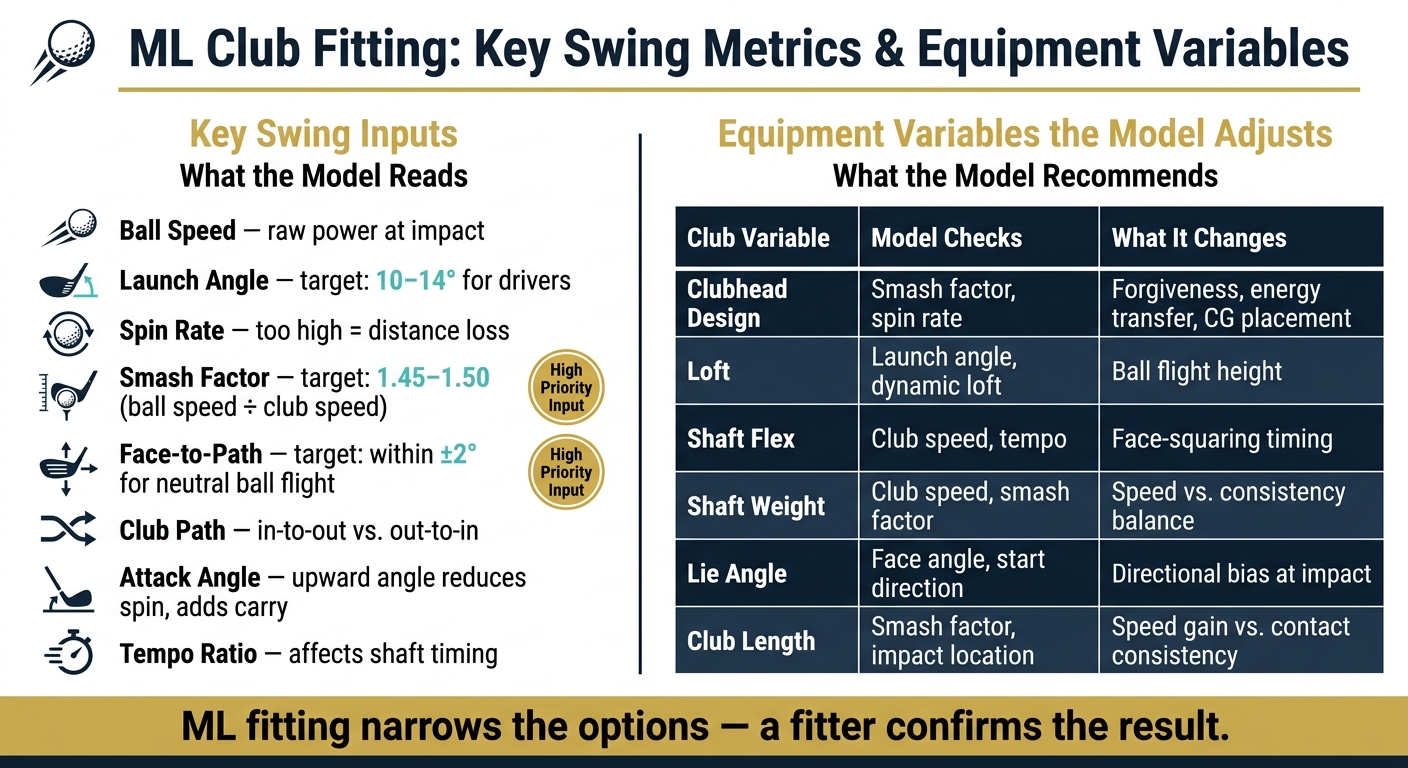
ML Club Fitting: Key Swing Metrics & Equipment Variables Explained
Once the model has your swing data, it compares it with patterns from golfers with similar swings to find the best fit. The aim is simple: improve your golf game by optimizing launch, spin, and strike quality with a setup that matches how you actually swing. From there, the list gets much smaller. Instead of looking at endless gear options, the model can narrow things down to loft, shaft, lie, length, and clubhead choices.
How the model matches patterns to likely setups
The model looks at relationships between numbers, not just single data points. That matters because one metric on its own rarely tells the full story.
Take driver launch angle. It usually sits in the 10–14° range, and too much spin can send the ball too high and rob you of distance. So if your launch falls outside that range, or your spin is climbing, the model may point to a loft or shaft change.
The same idea applies to shot shape. If the model spots an out-to-in path with an open face, it marks that as a slice pattern. In that case, it will usually focus on the path first, because face control tends to get better as the path moves closer to neutral.

Which club specs the model can adjust
The model then turns those swing patterns into equipment recommendations. Here’s what it checks and what each change can affect:
| Club Variable | Model checks | What it changes |
|---|---|---|
| Clubhead design | Smash factor, ball speed, spin rate | Energy transfer, forgiveness on off-center hits, and center of gravity placement to help dial in spin |
| Loft | Launch angle and dynamic loft | Ball flight height; dynamic loft – what you deliver at impact – depends on shaft lean and attack angle, so the model uses both when refining loft recommendations |
| Shaft Flex | Club speed and tempo | Timing of face squaring and spin consistency |
| Shaft Weight | Club speed and smash factor | Speed potential while still keeping strikes consistent |
| Lie Angle | Face angle and start direction | How the clubhead sits at impact, which can help limit directional bias |
| Club Length | Smash factor and impact location | Longer shafts can add speed, but they can also make center contact harder to repeat |
Use confidence labels to judge how much trust to put in each recommendation.
Those recommendations set the baseline for the virtual fitting session in the next step.
Step 3: Use the recommendation in a virtual fitting session
The model’s output from Step 2 is a starting point, not a final answer. Think of it as an early read that gets better as you log more swings. And if you’re dealing with pain or major technique problems, work with a coach or medical pro instead of trying to solve it through club specs alone.
Follow a practical fitting workflow
Once the model suggests a setup, the next step is simple: test whether those specs lead to better ball flight.
Start by uploading a down-the-line swing video or importing launch monitor data. Then check smash factor, launch angle, and face-to-path against the model’s target ranges before you change anything. That gives you a clean baseline.
After that, test the suggested build and watch how your ball flight changes. Don’t rely on one or two swings. Hit a small batch, review the pattern, and then re-test to see if the trend holds up.
When human judgment still matters
The model is good at narrowing the field fast, but it still has blind spots. For example, it may flag an over-the-top move or early extension, yet it can’t tell whether the root problem comes from your swing or from the club fit itself.
That’s where a fitter comes in. If the numbers look better, a fitter can help confirm whether the gain is real or just noise from a small sample. They can also judge things the model can’t read well, like strike consistency, physical comfort, and how the club feels through impact.
If your smash factor is low, a fitter will usually start with contact and impact location before changing other specs. And if any drill causes pain, stop right away and get professional help. Bring the report to a fitter so they can check the recommendation and pressure-test it in a live session.
Conclusion: What golfers gain from machine-learning-assisted fitting
Machine learning doesn’t replace the fitting process – it just makes it sharper and faster. You start with less guesswork and get to a solid recommendation sooner, so the fit lines up with your swing instead of some generic profile.
ML-assisted fitting trims down the first-pass guesswork and gets you to a usable setup faster.
The main points to remember
Three things decide whether machine-learning-assisted club fitting pays off: good data, smart interpretation, and practical testing.
Good data means clean, consistent swing inputs. Smart interpretation means putting the most weight on measured inputs. Practical testing means treating the recommendation as a starting point, then testing again after changes to confirm the trend.
The main upside is a better starting point, not a stand-in for the fitter. A fitter still makes the final call. Use machine learning to narrow the fit, then confirm it with real ball flight.
FAQs
How much data does the model need?
It depends on the tool, but the goal stays the same: gather enough data to explain your performance and spot areas that need work.
For virtual club fitting, that usually means collecting physical and swing data such as height, wrist-to-floor measurement, hand size, swing speed, and your typical shot shape.
For swing analysis, about 20 swings per club is often enough to set a steady baseline and show patterns in how you swing.
Can machine learning fix a slice by itself?
No. Machine learning can spot swing faults, track key metrics, and point to the likely cause of a slice. But it’s a diagnostic tool, not a full fix.
Lasting improvement still comes from structured practice, drills, and muscle memory. For the best results, use those insights alongside hands-on training from How To Break 80.
When should I trust video versus launch monitor data?
Trust launch monitor data when you need hard numbers. It gives you precise, objective measurements like ball speed, spin rate, carry distance, and club path.
Use video analysis to see why those numbers look the way they do. It shows swing mechanics, body position, and tempo in a way numbers alone can’t.
The best approach is to use both at the same time. Launch monitors measure the result. Video shows the movement that caused it.
Related Blog Posts
- Top AI Tools for Custom Golf Club Fitting
- AI Golf Clubs: 3 Ways They Improve Your Game
- AI Golf Club Fitting with Launch Monitors
- Checklist for AI Club Fitting Success
