
If you’re looking to improve your putting game, virtual platforms offer a range of tools to practice indoors with precision. From high-tech launch monitors to simple video courses, these solutions cater to golfers of all levels. Here’s a breakdown of the top options:
- Launch Monitors: Devices like the Foresight GC3 ($5,999–$7,499) and Bushnell Launch Pro ($1,999–$3,499) provide detailed feedback on metrics like face angle and stroke path. They’re ideal for serious players but come with high upfront costs and, in some cases, ongoing subscription fees.
- Budget-Friendly Choices: The SkyTrak+ ($3,000) delivers reliable data without the premium price tag, while the Exputt RG ($469) offers a compact, affordable solution for small spaces.
- Putting Software: GSPro ($250/year) and E6 Connect ($300–$600/year) enhance practice with lifelike simulations, customizable settings, and detailed analytics. You can also use visualization to complement these digital insights.
- Video Instruction: The Precision Putting Video Course ($49) is a low-cost, self-guided option for golfers seeking proven putting drills without investing in hardware.
When choosing a platform, consider your budget, available space, and the level of feedback you need. Whether you’re a beginner or an experienced player, there’s a solution to help you improve your putting skills at home.
Putting Simulator by ExPutt: The Key to Mastering the Greens (Review)
sbb-itb-bcd8bdd
Precision Putting Video Course by How To Break 80
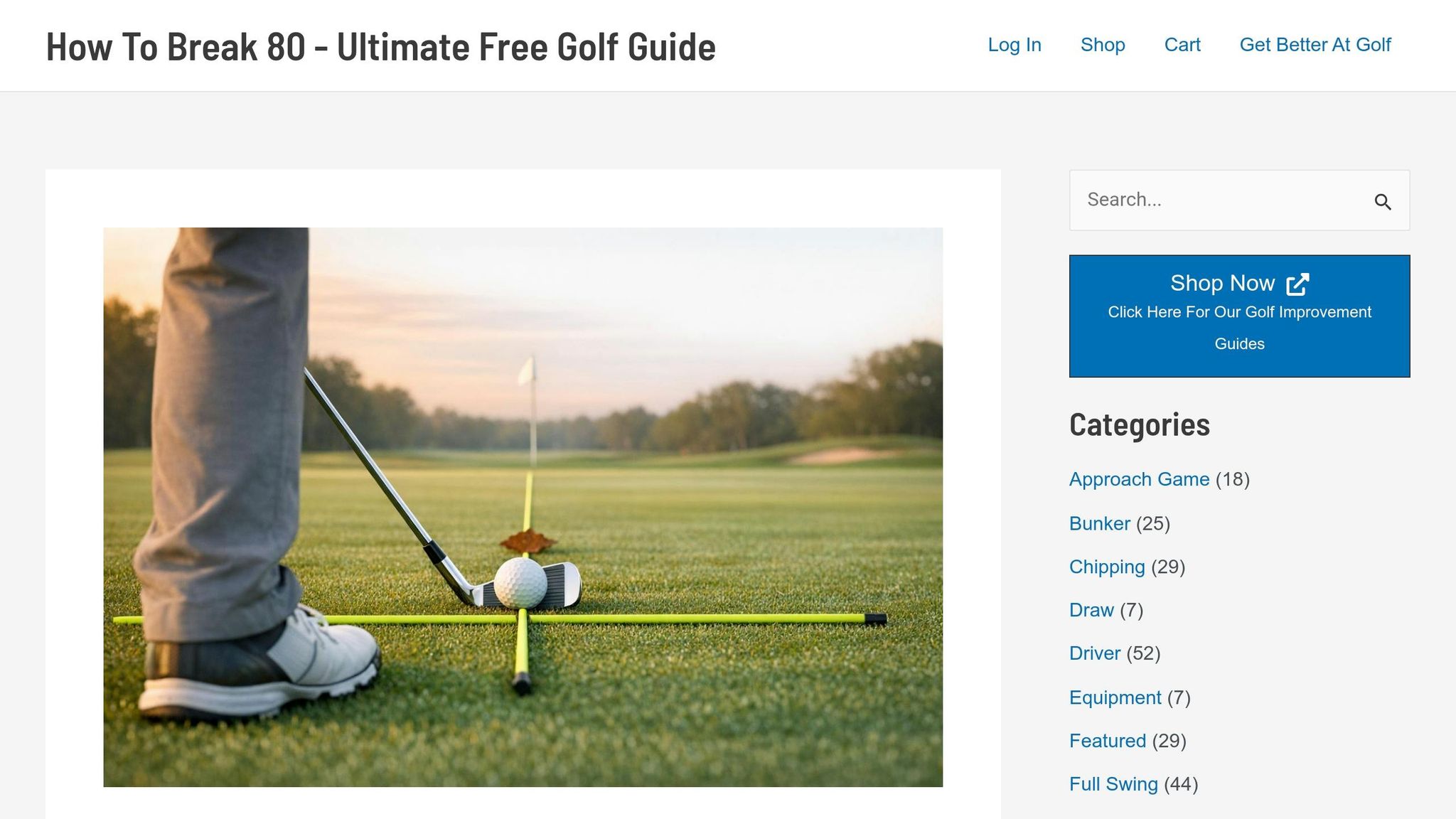
Improving your putting doesn’t have to involve expensive gadgets or trips to the golf course. The Precision Putting Video Course from How To Break 80 makes it possible to sharpen your skills using just your putter, some golf balls, and any flat surface at home.
For $49.00, this five-module video series provides focused instruction on the essentials of putting, including wrist angles, face stability, center contact, and tempo. These drills are designed to help you build precision and consistency, proving that accuracy matters far more than brute force when it comes to putting. By practicing indoors, you can develop repeatable strokes that carry over seamlessly to the golf course.
The course covers everything from distance control to accuracy and consistency, using everyday items like cups, towels, or alignment sticks to create feedback loops. It’s all about making practice practical and effective.
"Even if you’re positive you don’t have one more yard of distance in you, mastering the short game will slash 5 to 10 strokes off your score." – How To Break 80
To ensure progress, the course suggests recording your stroke weekly to catch flaws early and track improvements over time. This self-assessment strategy keeps you accountable and motivated.
Features and Benefits
This course takes a methodical approach to putting, breaking it down into manageable pieces you can practice indoors. Instead of aimlessly rolling balls, you follow a structured plan designed to eliminate 3-putts and build consistency.
Each module zeroes in on a key element of putting, such as alignment, setup, distance control, and green reading. The videos are mobile-friendly, so you can easily access them on your phone or tablet while practicing at home.
Since you’re using your own putter and golf balls, the muscle memory you develop directly translates to your rounds on the course. The drills focus on center contact and face control – two critical components of accuracy, no matter the green speed. Golf professional Britt Olizarowicz explains:
"Putting is one of the easiest skills to train indoors because you don’t need perfect green speeds or slopes. You only need a putter, a flat surface, and a plan."
The course also helps you avoid the pitfalls of unstructured advice often found on social media. Instead of sifting through random tips, you get a step-by-step system that has been proven to lower scores by 5–10 strokes.
Pros and Cons
| Pros | Cons |
|---|---|
| Affordability: At $49.00, it’s much cheaper than hardware-based platforms. | Device Requirements: You’ll need a smartphone, tablet, or computer to access the videos. |
| Convenience: Practice anywhere without needing specialized equipment or a practice green. | No Instant Feedback: Unlike advanced tools, it doesn’t provide real-time data on ball roll or face angle. |
| Proven Results: Designed to help shave 5–10 strokes off your score. | Self-Guided: Success depends on your ability to interpret and apply the drills correctly. |
This course is ideal for golfers looking for an affordable, structured way to improve their putting from the comfort of home. While it doesn’t offer real-time feedback, its practical drills and clear guidance make it a valuable resource for lowering your scores.
Launch Monitors for Putting Practice
Launch monitors provide precise data by capturing impact details instantly. Unlike radar-based systems that need more ball flight, photometric monitors capture the ball at the moment of impact, making them perfect for indoor practice. Many of these devices come with built-in touchscreens for immediate feedback and work with simulation software like FSX Play and GSPro to create a realistic putting experience.
Here’s a look at three monitors that cater to different needs and budgets, ranging from premium tour-level devices to more affordable options.
Foresight GC3

The Foresight GC3 uses a three-camera triscopic system to deliver putting data with accuracy within 3% of the industry-standard GCQuad. This photometric setup captures thousands of frames per second at impact, ensuring precision that professional golfers trust for practice and club fitting. It’s priced at $5,999 for ball-only data or $7,499 for both ball and club data, with no required subscriptions. Buyers also gain access to FSX software and third-party platforms like GSPro without additional fees.
Its built-in LCD touchscreen provides instant feedback, eliminating the need for external devices. Plus, it reads data right at impact, so a long hitting mat isn’t necessary.
| Feature | Advantage | Consideration |
|---|---|---|
| 3-Camera System | High accuracy (3% variance vs. GCQuad) | Expensive upfront cost ($6,000+) |
| No Subscriptions | No ongoing fees | High initial investment |
| Built-in Display | Immediate feedback | Premium pricing limits accessibility |
The GC3 is ideal for professionals and serious golfers who prioritize accuracy without worrying about recurring subscription fees. Sean Ogle, Founder of Breaking Eighty, highlights:
The GC3 is really a professional level device.
Bushnell Launch Pro
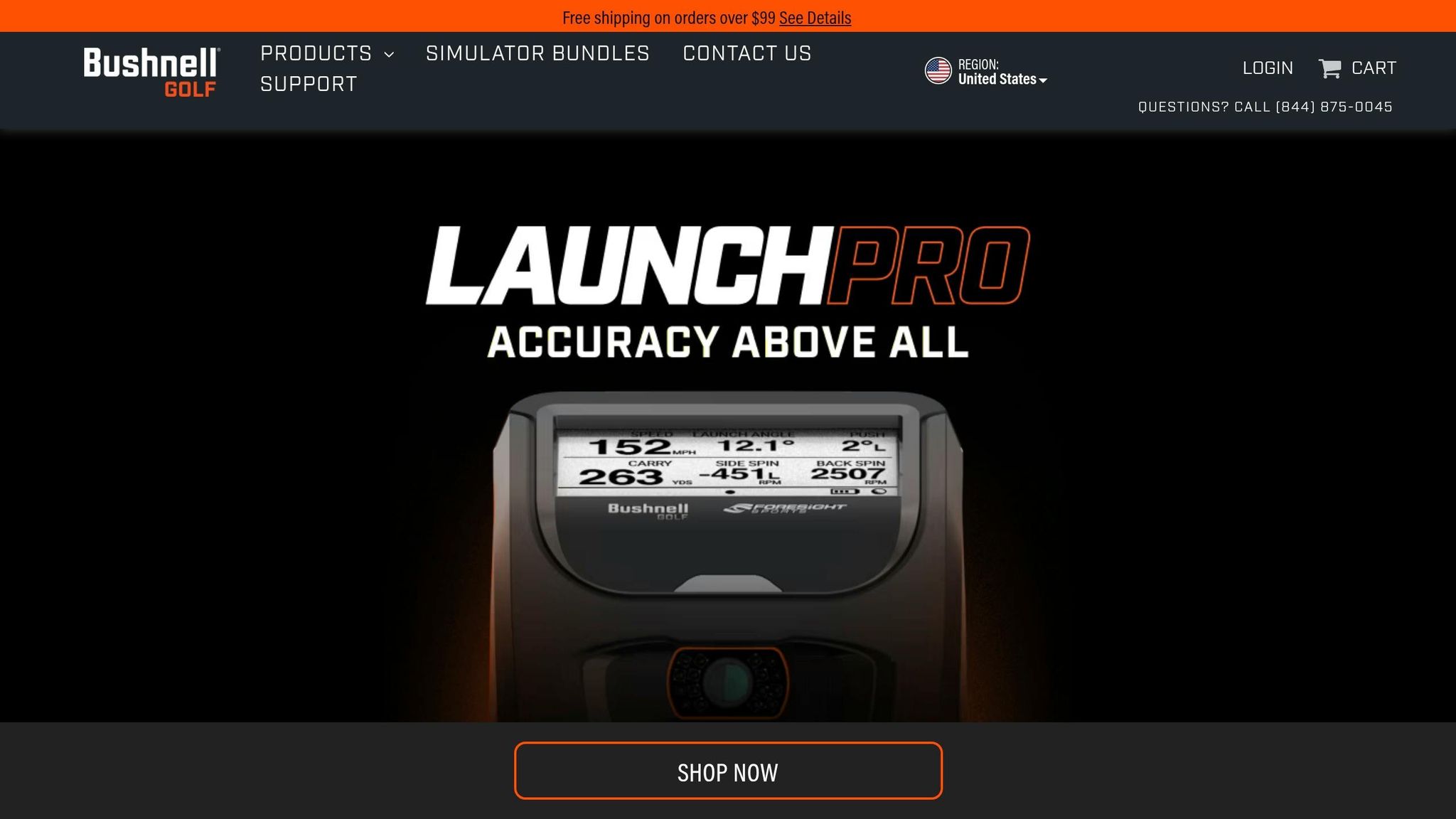
The Bushnell Launch Pro uses the same photometric technology as the GC3, offering high accuracy at a more affordable starting price. It’s available for $1,999.99 (ball-only data) or $3,499.99 (ball and club data). However, unlocking full functionality requires a $499 annual Gold subscription, which includes access to simulation software and platforms like GSPro. Over time, these subscription costs can surpass the GC3’s one-time price.
Marc Sheforgen, Lead Editor at PlayBetter, shares:
The Bushnell Launch Pro is without a doubt the most accurate golf launch monitor I’ve tested… It reliably picks up impact data for putting.
With its built-in LCD display, users can navigate putting data without needing a computer. It delivers club data within 4% of the GCQuad and remains dependable, even for slower putts. However, users must reconnect every 45 days to validate the subscription.
| Monitor | Technology | Upfront Cost | Annual Fee | Best For |
|---|---|---|---|---|
| Bushnell Launch Pro | 3-Camera Photometric | $1,999–$3,499 | $499 (Gold Tier) | Serious amateurs |
| Foresight GC3 | 3-Camera Photometric | $5,999–$7,499 | $0 | Professionals and long-term users |
With a 4.4/5 star rating from 22 reviews and a 9.4/10 expert rating – including a perfect 10/10 for accuracy and setup – the Launch Pro is a great choice for intermediate to advanced golfers seeking premium precision without the GC3’s higher upfront cost.

SkyTrak+
For those looking for a budget-friendly option, the SkyTrak+ offers reliable putting data without the premium price tag.
This model combines camera and radar technology, providing a more affordable entry point for indoor putting practice. At around $3,000, it costs about half the price of a ball-only GC3. While it doesn’t match the tour-level accuracy of triscopic systems, it delivers consistent, consumer-grade performance.
Its compact design makes it perfect for smaller spaces. While it requires an external device to display data, it integrates with the SkyTrak app and E6 Connect software to simulate green conditions and provide putting feedback – all without the high subscription fees of other premium models.
| Feature | SkyTrak+ | Premium Monitors (GC3/Launch Pro) |
|---|---|---|
| Technology | Camera + Radar Hybrid | 3-Camera Photometric |
| Price Range | ~$3,000 | $1,999–$7,499 |
| Putting Accuracy | Consumer-Grade | Tour-Level (3% variance) |
| Built-in Display | No (requires external device) | Yes (touchscreen/LCD) |
The SkyTrak+ is a solid choice for golfers who want dependable indoor putting data without investing in professional-grade equipment. It’s a practical option for budget-conscious players who still want to refine their game.
Simulator Software for Putting Practice
Modern launch monitors have transformed indoor putting practice, and pairing them with simulator software takes things even further. These platforms bring lifelike greens, diverse courses, and detailed feedback into your home setup.
Two standout options are GSPro and E6 Connect, each offering unique features and experiences. Let’s break them down.
GSPro Simulator Software
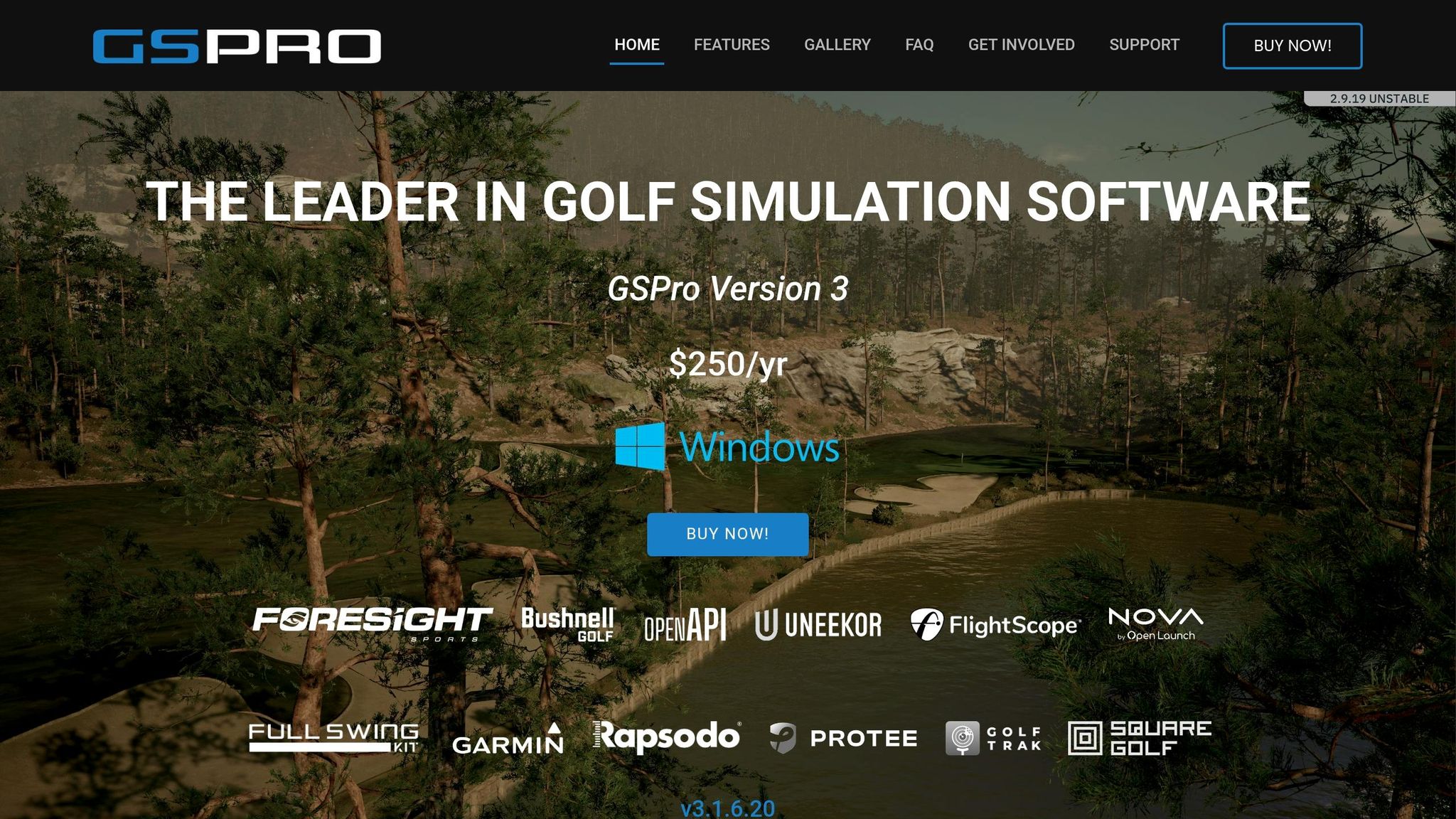
GSPro is designed specifically for golf simulation, providing highly realistic ball physics and customizable settings for putting practice. The software includes features like Horizontal Launch Angle (HLA) correction for perfect line practice and adjustable "gimme" distances (from 5 to 20+ feet) to simulate lag putts. It even offers a "Random" auto-putt mode that uses distance-based probabilities for a more authentic experience.
"GSPro was created as a true simulator. It isn’t an arcade’y video game forked into the simulation space. This is real golf simulation software."
GSPro’s community-driven approach has resulted in a growing library of over 4,000 user-created courses, giving players endless variety. It also supports multiplayer for up to 8 players, making it ideal for group practice or friendly competitions. However, it does have some limitations, such as lacking wind effects and shot replay features.
The software runs exclusively on Windows PCs and demands significant computing power – an RTX 3080 GPU is recommended for smooth 4K gameplay. At $250 per year, it remains a cost-effective option for serious golfers.
E6 Connect Simulator Software

E6 Connect takes a different route, focusing on visual fidelity and professional-grade accuracy. Using LiDAR-mapped recreations, the software delivers photorealistic 4K graphics that are accurate to within centimeters of real-world courses. Its interface is sleek and user-friendly, with load times under 10 seconds.
E6 Connect also stands out with its customized chip and putt ranges and interactive putting challenges. The software tracks every shot through a cloud portal, allowing players to analyze historical data and spot trends in their putting performance, such as directional biases.
"E6 CONNECT is the highest-quality, most lifelike and customizable golf simulator software ever created." – TruGolf
One of its biggest strengths is cross-platform compatibility. Whether you’re using a high-end PC or an iPad, E6 Connect works seamlessly. Its "Clubhouse" tools cater to league play and tournament hosting, making it a favorite for commercial facilities. However, the price is steeper than GSPro, with the Basic tier costing $300 annually and the Expanded library at $600 per year.
Key Differences Between GSPro and E6 Connect
| Feature | GSPro | E6 Connect |
|---|---|---|
| Putting Physics | Realistic lip-outs, HLA correction | LiDAR-mapped accuracy, refined engine |
| Course Library | 1,000+ (Community-built) | 100 (Photorealistic/Licensed) |
| Platforms | Windows PC only | PC and iOS (iPad/iPhone) |
| Annual Cost | $250 | $300 (Basic) / $600 (Expanded) |
Ultimately, your choice may depend on your priorities. GSPro excels in affordability and variety, while E6 Connect impresses with its polished visuals and advanced analytics. Either way, both platforms can elevate your indoor putting sessions.
How to Choose a Putting Platform
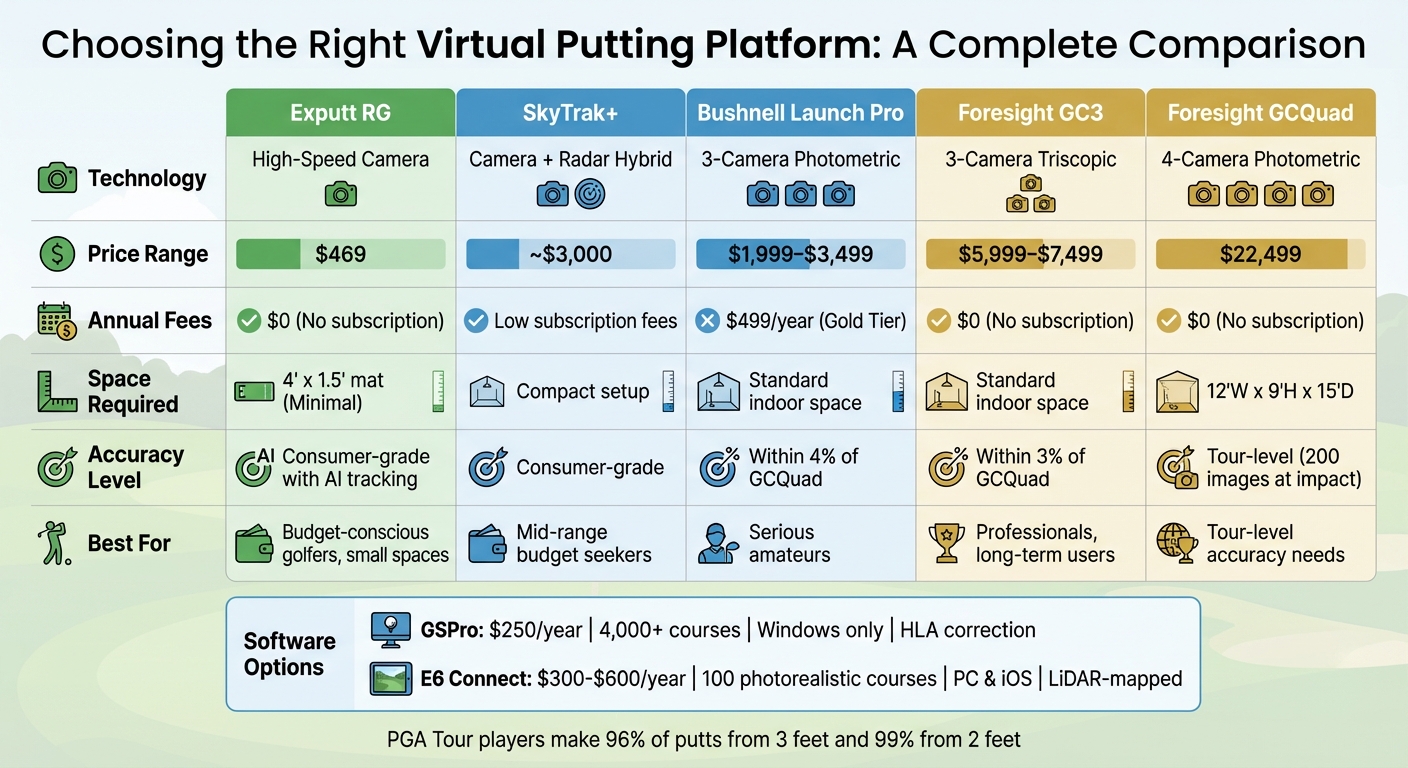
Virtual Putting Platform Comparison: Price, Technology, and Space Requirements
Selecting the right virtual putting platform means weighing factors like tracking technology, budget, available space, and the quality of feedback it provides.
Let’s start with tracking technology. Camera-based systems generally outperform radar when it comes to short, indoor putts. As Paul Liberatore explains, radar systems – such as the FlightScope Mevo+ – often struggle to track the first few feet of a slow-moving ball. In contrast, high-speed cameras, like the GCQuad, capture up to 200 images at impact, delivering accuracy within 1–2%.
Next, consider your budget. Costs can vary widely, both upfront and over time. For example, the Exputt RG is priced at $469, while professional-grade monitors like the Foresight GCQuad can cost around $22,499. Don’t forget about annual fees for software – GSPro charges $250 per year, while E6 Connect ranges from $300 to $600. Be sure to check whether these fees are subscription-based or one-time payments.
Space requirements are another key factor. Some systems, like the Exputt RG, need minimal room – just 4 feet of floor space and a ceiling height of 7–8 feet. On the other hand, full-swing simulators demand much larger spaces, with ceilings of at least 9 feet and a depth of 12–15 feet. If you’re in a smaller setting, like an apartment, compact camera-based systems may be your best bet.
Finally, focus on feedback metrics. The best platforms provide detailed, measurable insights, such as exact face angles (e.g., "1.6° open"), rather than basic hit-or-miss indicators. Considering that PGA Tour players make 96% of putts from 3 feet and 99% from 2 feet, having access to precise data can make a real difference in improving your game. This data-driven approach is a core part of a winning golf strategy.
Platform Selection Comparison Table
Here’s a quick comparison of popular putting platforms based on these factors:
| Best For | Platform | Technology | Price | Space Needed | Key Benefit |
|---|---|---|---|---|---|
| Budget Choice | Exputt RG | High-Speed Camera | $469 | 4′ x 1.5′ mat | Compact, AI tracking, no subscription |
| Most Accurate Monitor | Foresight GCQuad | 4-Camera Photometric | $22,499 | 12’W x 9’H x 15’D | Tour-level accuracy, 200 images at impact |
| Best Putting Software | GSPro | Simulation Software | $250/year | Pairs with monitor | HLA correction, 4,000+ courses |
| Smallest Footprint | PutterVR | VR + Real Putter | Varies | Meta Quest space | Uses actual putter, no physical mat |
| Overhead Precision | Uneekor EYE XO | Overhead Cameras | $8,949+ | 12’W x 9’H x 18’D | 3,000 fps capture, unmarked balls |
Conclusion
Virtual putting platforms today cover everything from compact, budget-friendly options to high-end systems designed with tour-level accuracy in mind. Whether you’re after gamified practice sessions, in-depth stroke analysis, or augmented reality tools for reading greens, there’s something for every golfer.

For beginners or casual players, entry-level platforms focus on making practice fun with gamified features. On the other hand, advanced setups cater to serious golfers by delivering detailed stroke data. As PGA Teaching Professional David Martinez puts it:
PutterVR is a game-changer for my students. The instant feedback on face angle and path gives them awareness that used to take months to develop.
When choosing a system, keep in mind the space you have available – some setups work well in small areas, while others need a lot more room. Costs also vary widely, from upfront investments to potential annual fees, so factor in your budget alongside your goals.
If you’re not quite ready to dive into high-tech systems, structured instruction is still an effective way to improve. For example, the Precision Putting Video Course by How To Break 80 offers a practical solution at $49.00. It doesn’t require extra hardware or a dedicated space, making it a great option for golfers who want to refine their technique without being overwhelmed by data.
Ultimately, the best platform is the one that aligns with your needs – whether that’s a simple home-based system, immersive VR technology, or straightforward video instruction. With the right choice, you can take your putting game to the next level.
FAQs
Do I need a launch monitor to improve putting at home?
No, you don’t need a launch monitor to work on your putting at home. You can make great progress using basic items like a flat surface, cups, or alignment sticks. The key is to concentrate on the fundamentals – keeping your wrists steady, controlling the putter face, and maintaining a smooth tempo. These small adjustments can go a long way in boosting your accuracy and consistency.
How much space do I need for virtual putting practice?
You’ll generally need 10 to 12 feet of space to practice putting strokes comfortably. Virtual putting platforms can usually fit in a living room or any similar area, provided there’s enough room for your putter and a natural range of motion. Make sure the area is clear of obstacles to keep your practice smooth and distraction-free.
Which putting metrics matter most for lowering scores?
When it comes to lowering your golf scores, two putting metrics stand out: the make percentage on putts between six and twelve feet and avoiding three-putts. By concentrating on these areas, you can sharpen your accuracy and consistency on the green, which ultimately leads to better performance in your game.
Related Blog Posts
- Top 7 Laser Putting Aids for 2025
- Top 5 Putting Boot Camps for Golfers
- Top 5 Real-Time Putting Stroke Analyzers 2025
- Best Course Strategy Simulators for Golfers
