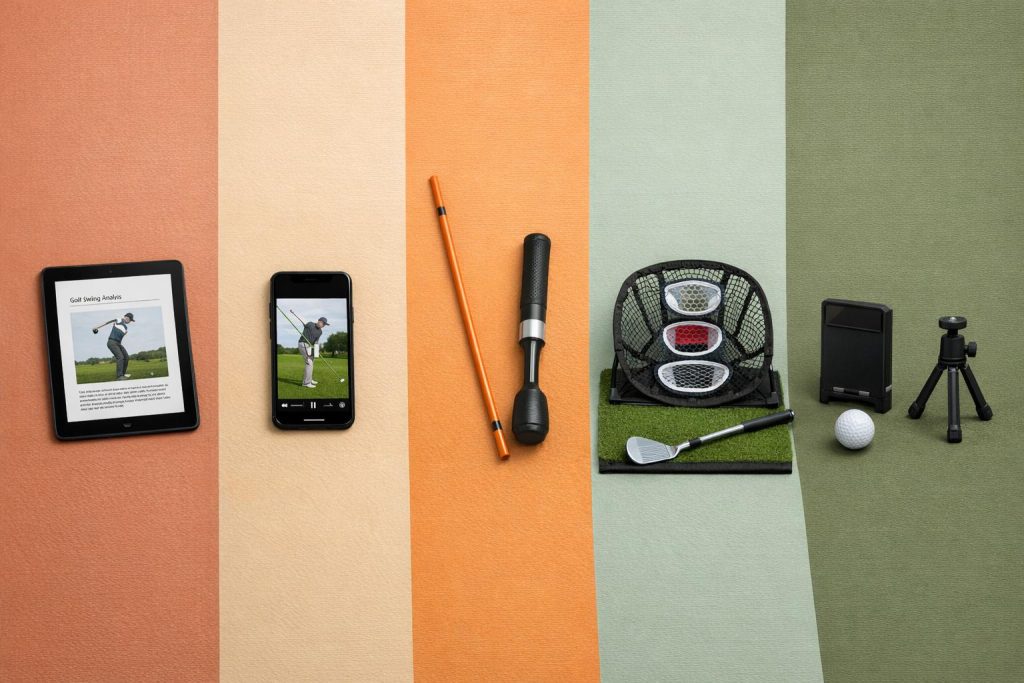
Virtual golf training tools are changing how players improve their game by offering personalized lessons based on skill level, physical abilities, and goals. Whether you’re a beginner or an advanced golfer, these platforms provide tailored feedback, drills, and even virtual courses to sharpen your skills. Here’s a quick look at the top five options:
- How To Break 80: Affordable eBooks and video courses starting at $19, focusing on scoring milestones, longer golf drives, and practical drills.
- Garmin Approach R10: A $599.99 portable launch monitor with 14 performance metrics and access to 42,000+ virtual courses.
- Rapsodo MLM2PRO: At $699.99, it tracks 15 key metrics and offers slow-motion swing analysis with virtual course add-ons.
- OptiShot Orbit: A $549.99-$749.99 indoor/outdoor simulator with eight metrics and no recurring software fees.
- SkyTrak: High-end at $2,495.00, offering 21 data points, virtual courses, and professional-grade accuracy.
Each platform caters to different budgets, practice setups, and improvement goals. Below is a comparison to help you choose the right fit.
Quick Comparison
| Platform | Starting Price | Key Metrics Tracked | Virtual Courses | Best For |
|---|---|---|---|---|
| How To Break 80 | $19.00 | Swing mechanics, putting drills, driving | N/A | Budget-friendly, self-paced learning |
| Garmin Approach R10 | $599.99 | Club speed, ball speed, launch angle | 42,000+ via app | Portable, data-focused golfers |
| Rapsodo MLM2PRO | $699.99 | Ball speed, club path, spin rate | 30,000+ with add-ons | Swing analysis and detailed feedback |
| OptiShot Orbit | $549.99-$749.99 | Swing path, impact position | 20 included courses | Indoor practice with limited space |
| SkyTrak | $2,495.00 | Ball/club speed, spin, launch angle | 80+ iconic courses | Professional-grade accuracy and data |
These platforms let you train smarter, track progress, and improve specific areas of your game. Choose based on your budget, space, and desired features.
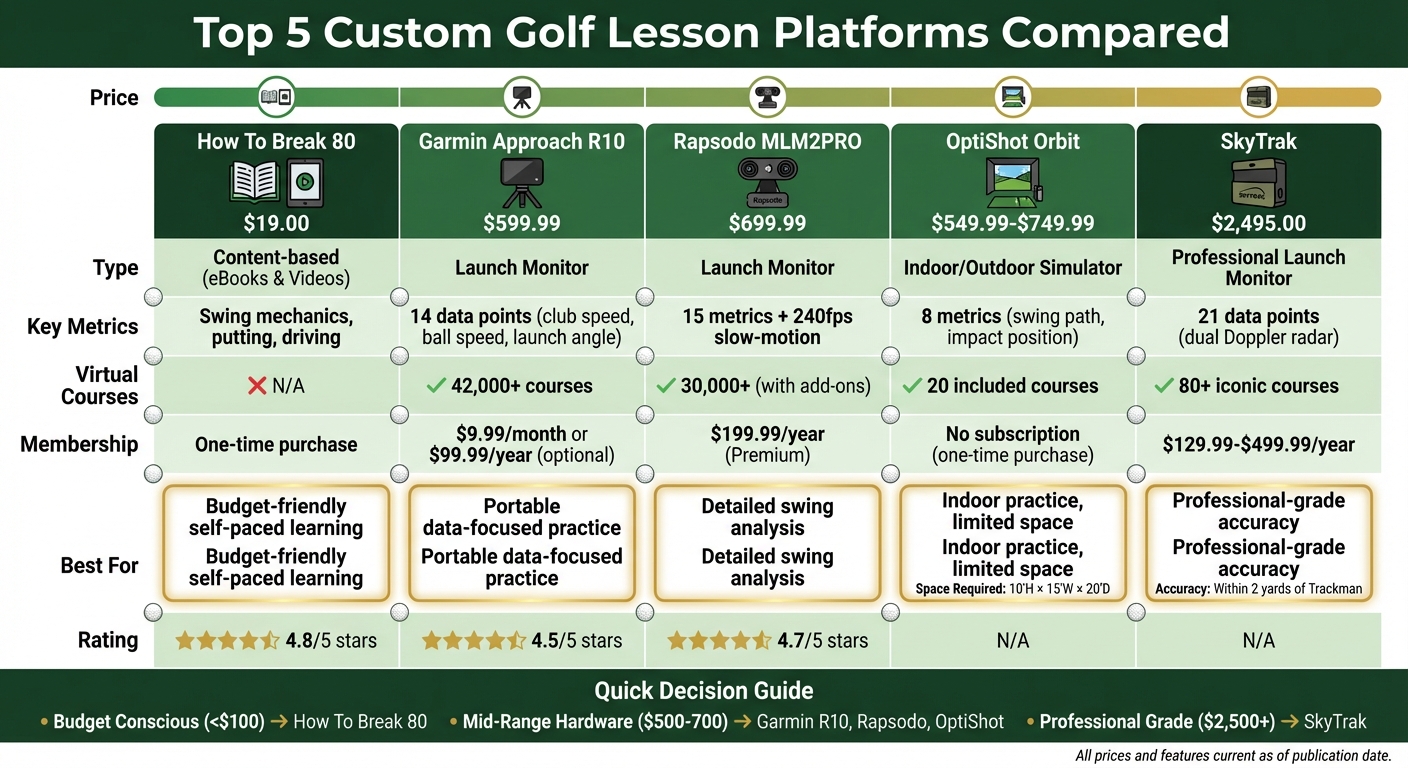
Golf Training Platform Comparison: Pricing, Features & Best Use Cases
1. How To Break 80
How To Break 80 offers a range of resources to help golfers improve their game, including eBooks, video courses, and free guides. The platform emphasizes practical drills and techniques, covering areas like putting, driving, swing mechanics, and overall strategy.
Personalized lesson plans
Tailored instruction is a key feature of this platform, ensuring golfers receive guidance that matches their skill level. Instruction is divided into specific scoring milestones: beginners can start with "Break 100" resources, intermediate players can progress to "Break 90", and advanced golfers can challenge themselves with the "Break 80" program. Additionally, targeted blueprints are available for addressing common technical issues, such as "Fix Your Slice", "Fix Your Hook", or "Pure Your Irons". This structured approach helps golfers focus on solving their specific swing challenges.
Guillaume Saigne, a golfer who completed the Break 80 program, shared his experience:
"I loved this training – I broke 80 three times this year. Your advice is very helpful".
Another golfer, Satheesh S., commented:
"The thing that worked for me was optimizing distance – not trying to hit too hard… I wasn’t trying to smash the ball".
These testimonials highlight how the program adapts to individual strengths and needs, offering practical, budget-friendly solutions.
Pricing and accessibility
How To Break 80 is designed to be affordable, offering a variety of options to suit different budgets. Pricing includes:
- The Essential Golf Improvement eBook Bundle for $19.00
- Individual video courses like Precision Putting and Maximum Distance at $49.00 each
- The How to Break 80 eBook for $29.00
- The Fix Your Slice & Hit a Draw Video Course for $99.00
This pricing structure allows golfers to address specific areas of improvement without making a large financial commitment.
The program has received a 4.8/5 rating from 126 customer reviews, with users praising its focus on practical strategies for managing pressure and improving distance control. For golfers looking for a straightforward way to enhance their game – without relying on complex technology – How To Break 80 offers a clear and effective path.
Up next, discover how the Garmin Approach R10 can take your virtual practice to the next level.
sbb-itb-bcd8bdd
2. Garmin Approach R10
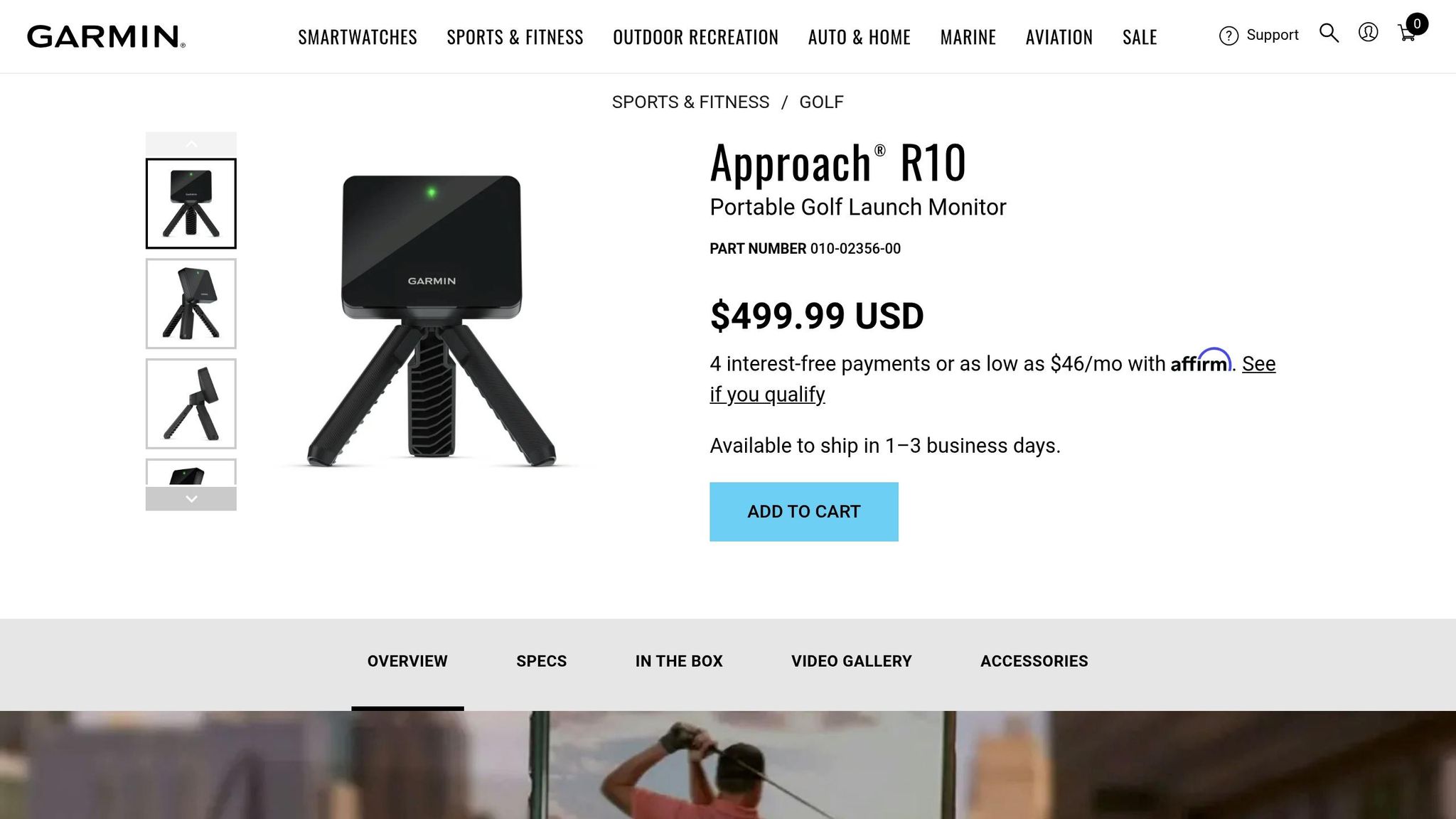
The Garmin Approach R10 is a compact, portable launch monitor measuring 5.1" x 4.1" x 1.6" and weighing just 1.1 lb. It uses Doppler radar to track 14 key data points, including club head speed, ball speed, launch angle, and power leaks in your swing – giving golfers a detailed breakdown of their performance.
Skill Tracking and Analysis
The R10’s Training Mode offers shot dispersion charts and performance stats for every club in your bag, helping you pinpoint areas that need improvement. Through the Garmin Golf app, every swing is automatically recorded, complete with real-time metrics overlaid on video. This feature makes it easier to identify common swing fixes and monitor your progress over time. The device also calculates averages and dispersion patterns for each club, which is especially helpful for club gapping. You can save past sessions and videos to track your growth or share them with a PGA professional for remote coaching.
Dan Bartel, Garmin’s Vice President of Global Consumer Sales, described the R10 as follows:
"The Approach R10 golf launch monitor combines lightweight portability with a platform so you can work on your game wherever and whenever you’d like".
In addition to its detailed data tracking, the R10 enhances practice sessions with its virtual course integration.
Virtual Course Offerings
The R10 unlocks access to over 42,000 virtual golf courses worldwide via the Home Tee Hero simulator. It also works seamlessly with platforms like E6 Connect, Awesome Golf, TGC 2019, and PinSeeker, offering immersive virtual rounds of golf. With a 10-hour battery life, the device ensures extended practice sessions without constant recharging interruptions.
Pricing and Accessibility
The Garmin Approach R10 is priced at $599.99. To use features like the Home Tee Hero simulator and cloud video storage, you’ll need a Garmin Golf Premium Membership, which costs $9.99 per month or $99.99 annually. Subscriptions for third-party software like E6 Connect start at around $300 per year. Setting up the R10 is quick and straightforward – it takes just 30 seconds to pair via Bluetooth and secure it on a magnetic tripod stand. For best results, place the monitor 6 to 8 feet behind the ball on a level surface.
This device empowers golfers to create personalized training sessions, tailoring practice to their unique needs. With high praise from users, the R10 has earned a 4.5/5 rating from GolfSpan and an A+ grade from GolfBlogger, who called it "a marvelous piece of golf tech". Zach from The DIY Golfer added:
"This is hands down the CHEAPEST way to build a fully-featured home golf simulator".
3. Rapsodo MLM2PRO
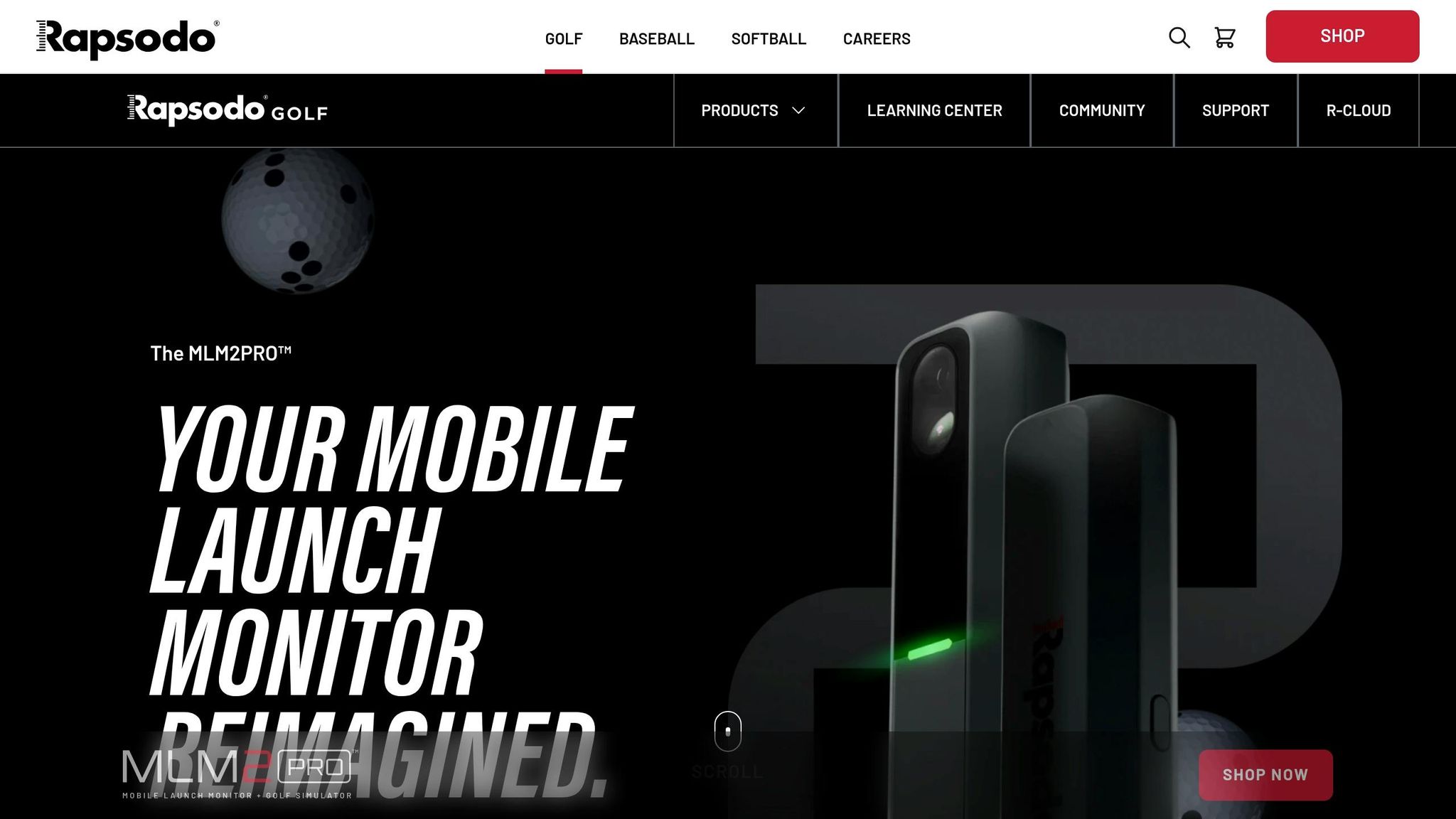
The Rapsodo MLM2PRO is a portable launch monitor priced at $699.99, combining Doppler radar with a dual-camera system to track 15 essential metrics. It directly measures eight key stats: ball speed, club speed, launch angle, launch direction, spin rate, spin axis, club path, and angle of attack. This makes it a great choice for golfers who want detailed feedback tailored to their performance. Its standout feature, the Impact Vision camera, captures ball and club contact in slow motion at 240 frames per second, helping you analyze your golf swing in detail.

Personalized Lesson Plans
The Rapsodo Combine feature creates focused practice sessions by testing your abilities at various distances with different clubs. These sessions include 24 shots designed to benchmark your performance. Afterward, the app provides tailored feedback by comparing your results to different handicap levels and suggesting specific drills. PGA TOUR Superstore employee James Goff Jr. says:
"The Combine is a great way to improve and make the range time fun! 24 shots have never been so intense!"
Additionally, the platform offers 228 target distances through its Target Range mode and introduces a Randomized Target Mode, simulating game-like challenges to help you improve precision yardages. This personalized approach is complemented by detailed swing data tracking.
Skill Tracking and Analysis
The MLM2PRO keeps a comprehensive record of your session history, lifetime stats, and allows data exports for deeper analysis. Impressively, its club and ball speed measurements are accurate within 2 mph, and launch angles are within 1.5 degrees of high-end systems. PGA Professional William Kraft remarked:
"For the price I don’t think you can beat the MLM2… The club speeds and ball speeds were within 2 miles an hour of the Trackman."
Using RPT (Rapsodo Precision Technology) golf balls, featuring a special dot pattern for tracking, ensures spin measurements within 1% of those from premium monitors.
Virtual Course Offerings
Beyond swing metrics, the MLM2PRO enhances practice with access to over 30,000 virtual golf courses. It also integrates with third-party platforms like GSPro, E6 Connect, and Awesome Golf. For added versatility, its R-Speed Platform supports non-impact swing speed training to help golfers increase clubhead speed.
Pricing and Accessibility
The MLM2PRO is priced at $699.99, but unlocking advanced features such as detailed spin data, virtual courses, and cloud storage requires a Premium Membership. Memberships cost $199.99 annually, $329.99 for two years, or $599.99 for lifetime access, with new purchases including a 45-day free trial. RPT golf balls are available for around $69.99 per dozen. To ensure radar accuracy, a minimum of 14 feet of space is needed. Reviewers have rated the device highly, with a 4.5/5 star rating from professionals and a 4.7/5 rating on Golf Sim Depot.
4. OptiShot Orbit
The OptiShot Orbit is a golf training system that combines indoor simulation with outdoor launch tracking. Priced between $549.99 and $749.99, it uses Voice Caddie SC4 radar technology to measure eight key metrics: clubhead speed, ball speed, launch direction, launch angle, backspin, smash factor, carry distance, and total distance. A rechargeable lithium-ion battery powers the device, delivering up to 10 hours of use per charge.
Personalized Lesson Plans
The system’s Orion software includes a unique Course Fitting Module, allowing golfers to digitally adjust settings like loft, lie, face angle, and offset. This feature helps users visualize how equipment adjustments impact ball flight before making any physical changes to their clubs.
"Orion provides club fitting functionality that lets you digitally adjust loft, lie, face angle and other specs to match your clubs."
This flexibility ensures training is tailored to each golfer’s needs. Additionally, the platform offers skills challenges and tournament modes to help improve specific areas of your game. For outdoor practice, the MySwingCaddy app automatically syncs swing video clips with shot data, making it easier to connect your movements to launch metrics.
Skill Tracking and Analysis
The Orbit takes skill development a step further by tracking key performance metrics like driving distance, accuracy, and greens in regulation (GIR). The MySwingCaddy app enhances this with features such as shot analysis, practice and target modes, and performance reports that compare club performance across sessions. It also provides voice feedback on distances and includes a remote control for hands-free operation. For the best accuracy, the device should be positioned about 5 feet behind you during use.
Virtual Course Offerings
The Orion simulator software includes 20 championship courses and three driving ranges, all rendered in 3D for an immersive experience. Unlike many systems, the Orbit doesn’t require subscription fees, making it a more accessible option. The simulator supports multiplayer modes for up to eight players, adding a social element to your practice.
Golf Simulator Advisor highlights this advantage:
"A benefit of the Orbit is that the Orion simulator software is included as a one-time purchase, rather than a monthly subscription."
This makes the Orbit a straightforward choice for golfers seeking a robust simulation system without ongoing costs.
Pricing and Accessibility
The OptiShot Orbit is priced between $549.99 and $749.99, and there are no recurring fees for the software. However, a full home setup – including a hitting mat (typically $150–$250) and a compatible Windows PC – can bring the total investment to over $1,000.
The software requires Windows 10 (64-bit) or higher, an Intel Core i5 quad-core processor, 16GB of RAM, and a dedicated graphics card with at least 4GB of GDDR5 RAM. Unfortunately, MacOS is not supported. For indoor use, a space of 10 feet high by 15 feet wide by 20 feet deep is recommended to ensure the best experience.
5. SkyTrak
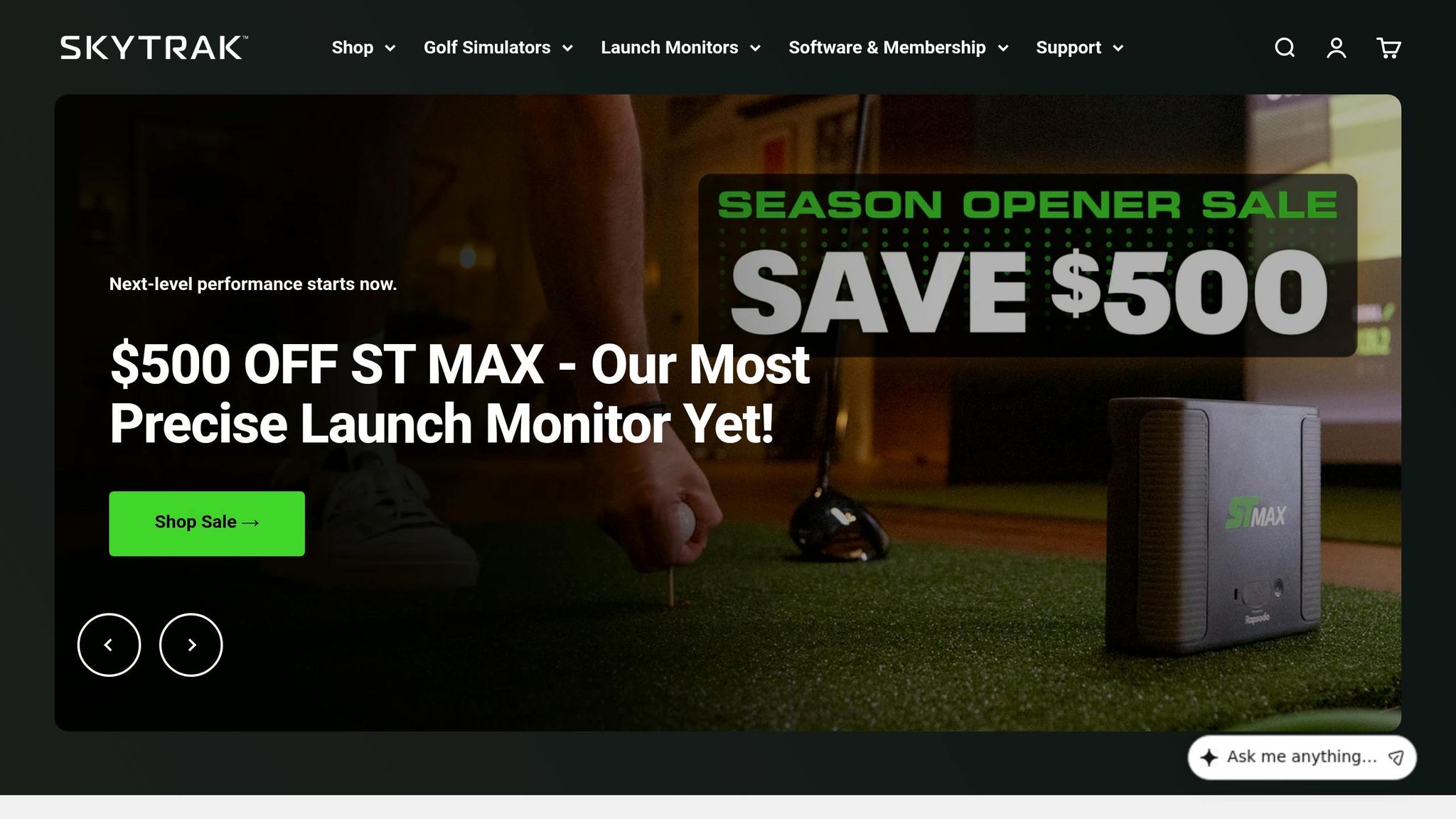
SkyTrak has carved out a niche in custom golf training, boasting sales of over 107,000 units and earning recognition from Golf Digest, Golf Monthly, and Today’s Golfer as a top-tier option for golfers. The ST MAX Launch Monitor is priced at $2,495.00 (down from $2,995.00), delivering professional-grade accuracy at a competitive price point. Equipped with a dual Doppler radar and a photometric camera, it tracks 21 key data points, including ball speed, spin rate, launch angle, club path, and face angle. Impressively, its club data is accurate within 1.5 degrees, and its ball tracking matches within 2 yards of Trackman’s measurements.
Personalized Lesson Plans
SkyTrak’s Shot Optimizer takes your practice to the next level by analyzing the outcome of 20 shots to create a personalized Shot Score. This score benchmarks your performance against golfers across various skill levels. As SkyTrak puts it:
"The Shot Optimizer transforms your practice sessions by analyzing the outcome of 20 shots… it not only offers you a personalized Shot Score but also benchmarks your performance against players across a spectrum of skill levels."
The system also includes instructional materials from Nick Clearwater, ranked #17 on Golf Digest’s list of top instructors. Additionally, the Practice & Improvement Ranges, developed in partnership with GOLFTEC, provide structured training setups for every club in your bag.
Skill Tracking and Analysis
SkyTrak’s Swing Lab offers a comprehensive set of tools for tracking and improving your game. The Bag Mapping feature visualizes club performance through detailed distance graphs, helping you make better club selections during play. The Skills Assessment mode allows you to set up to 10 targets for an in-depth performance analysis, while the Wedge Matrix evaluates different shot types – like pitch, partial, and full swings – to fine-tune your short game.
A red, yellow, and green scoring system visually compares your stats to ideal launch conditions, making it easy to identify areas for improvement. For those looking to increase swing speed and distance off the tee, GOLFTEC-powered Speed Training offers guided drills with measurable progress tracking.

Virtual Course Offerings
SkyTrak’s Course Play feature opens the door to more than 80 iconic courses, including Pebble Beach, Bethpage Black, and Royal Portrush. With a Core Membership ($299.99 per year), golfers can access over 43 venues. For those seeking even more variety, the Elite Membership at $499.99 per year unlocks the complete libraries of both Foresight and Trackman courses. These virtual experiences provide a highly immersive way to practice and play.
Pricing and Accessibility
SkyTrak offers flexible pricing to fit a variety of budgets. The ST MAX Launch Monitor is available for $2,495.00, while membership plans unlock additional practice and simulation features. The Essential Plan starts at $129.99 per year, with the Core Membership priced at $299.99 or $349.99, depending on the course library selected. For a fully immersive experience, complete studio packages range from $4,995.00 to $6,495.00. Financing options through Affirm and Shop Pay make it even more accessible, with monthly payments starting as low as $139.
For setup, a minimum space of 9 feet (H) x 12 feet (W) x 17 feet (D) is required. SkyTrak supports PC, macOS (with native compatibility), iOS, and Android, ensuring it works seamlessly across a range of devices.
Platform Comparison Table
Each platform caters to different needs, whether you’re focused on affordability, space constraints, or advanced training features. Below is a detailed comparison of pricing, metrics, and virtual course options to help you find the best fit for your golf training goals.
| Platform | Starting Price | Key Metrics Tracked | Virtual Courses | Membership Options | Best For |
|---|---|---|---|---|---|
| How To Break 80 | $19.00 | Swing mechanics, putting technique, driving distance | N/A | One-time purchases: eBooks ($19.00–$29.00), Video Courses ($49.00–$99.00) | Golfers looking for affordable, self-paced instruction with actionable drills |
| Garmin Approach R10 | $599.99 | Club head speed, ball speed, smash factor, swing tempo, launch angle, launch direction | 42,000+ courses via Garmin Golf app | Optional Garmin Golf membership for extra features | Budget-conscious golfers seeking portable launch monitor data |
| Rapsodo MLM2PRO | $699.99 | Ball speed, club speed, smash factor, launch angle, launch direction, distance, shot shape | N/A | Free app included; no subscription required | Golfers focused on shot shape analysis and instant feedback |
| OptiShot Orbit | $499.99 | Swing path, club face angle, impact position, swing speed, tempo | 15 courses included; additional courses available for purchase | Optional subscription for expanded course library | Indoor practice enthusiasts with limited space |
| SkyTrak | $2,495.00 | Ball speed, spin rate, launch angle, club path, face angle (21 total data points) | 80+ courses including Pebble Beach, Bethpage Black | Essential ($129.99/year), Core ($299.99/year), Elite ($499.99/year) | Serious golfers who demand professional-level accuracy and extensive data tracking |
How To Break 80 stands out as a content-driven platform offering eBooks and video courses for structured learning, ideal for golfers wanting to refine their skills without investing in hardware. On the other hand, the hardware-based platforms provide real-time shot data, with SkyTrak leading the pack at $2,495.00, offering 21 data points and unmatched accuracy. For those on a tighter budget, Garmin R10 ($599.99) and Rapsodo MLM2PRO ($699.99) provide portable, mid-range solutions with essential ball flight metrics. If you’re practicing indoors with limited space, OptiShot Orbit ($499.99) offers an affordable simulation setup with 15 included courses.
This table highlights the unique strengths of each platform, making it easier to align your choice with your specific practice needs and goals.
Conclusion
Virtual golf training platforms have transformed the way golfers improve their game, offering tailored instruction for every skill level. Beginners can follow structured, step-by-step programs that simplify the fundamentals without overwhelming them. Intermediate players benefit from focused solutions like fixing a slice or improving distance control. Meanwhile, advanced golfers gain access to elite coaches who use precise data to fine-tune their technique.
One standout feature of these platforms is their flexibility. Lessons can be taken anytime, anywhere, without the hassle of scheduling or travel. Plus, progress is easily trackable, as lessons are often archived for future review. As Greg, a Golf Live user, shared:
"My swing has improved tremendously in just a couple months. You can even review your lessons anytime since they’re all recorded".
This convenience is paired with affordability. Online swing analysis typically costs $50–$150 per review, and live online lessons range from $75–$200 per hour – significantly less than the $200–$500+ per hour charged for in-person lessons. Many platforms also offer subscription plans, giving golfers continuous access to coaching at a lower overall cost.
Before committing to a platform, it’s important to define your goals. Align your skill level and improvement priorities with the platform’s strengths. Take advantage of free trials to assess a coach’s communication style and the practicality of their drills. Whether you prefer hardware-based solutions that deliver real-time shot data or content-rich resources focused on technique, the best platform for you will depend on your budget, practice setup, and desired areas of improvement. These tools make it easier than ever to train smarter and achieve your golfing goals.
FAQs
How do I choose the right platform for my budget and space?
To pick the right platform, think about your budget and space availability. Online coaching platforms tend to be budget-friendly and only require a device and an internet connection, making them perfect for smaller spaces. On the other hand, golf simulators deliver a highly immersive experience but come with a higher price tag (ranging from $300 to $5,000) and demand a dedicated area in your home. Consider how much you’re willing to spend, the space you have, and the level of interaction you’re looking for to find the option that works best for you.
Do I need a subscription to access full features and virtual courses?
Yes, many platforms like Skillest, True Swing, and Elite Golf Online charge a subscription fee or require payment to access their full range of features and virtual courses. These often include perks like customized lesson plans, video tutorials, and other premium resources.
What setup space do I need for an at-home golf simulator?
To set up a golf simulator at home, you’ll need enough space to accommodate the launch monitor, hitting area, and a screen or net. Generally, this means a room that’s at least 10 feet wide, 10–12 feet long, and 8–10 feet high. These dimensions ensure you can swing comfortably and everything functions as it should.
Related Blog Posts
- Top 5 Putting Boot Camps for Golfers
- Best Course Strategy Simulators for Golfers
- Advanced Analytics for Golf Club Optimization
- Best Virtual Platforms for Putting Practice
