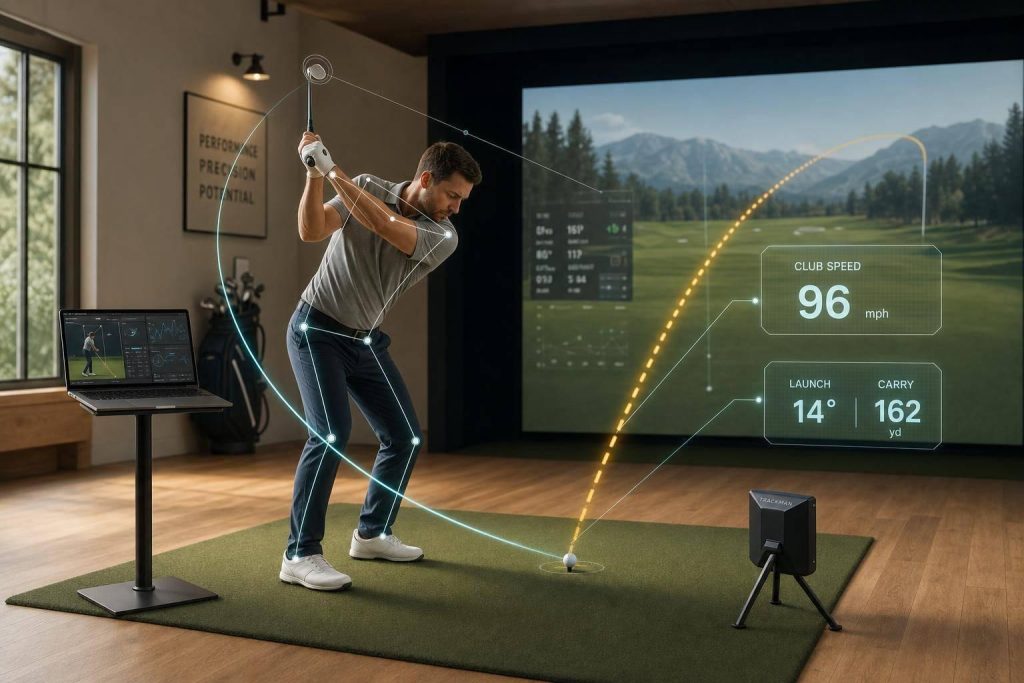
If I had to sum this up in one line: the right tool is the one that links body motion, club delivery, and ball flight without slowing down the fitting.
I’d break the article down like this:
- Swing Catalyst is best for studio setups that want deep force and pressure data, with dual plates sampling at 1,000 Hz
- K-Coach / wearable systems focus on body sequence, pelvis-thorax-wrist motion, and live biofeedback
- Sportsbox AI 3DGolf gives 3D swing data from a phone or tablet with no wearables, starting at $245/year
- Other systems like GEARS Golf, SAM BalanceLab 3, Uneekor Performance Optix, Uplift Golf Analysis, SwingAnalytics, and UFIT each fit a different workflow
- The main trade-offs are depth, portability, setup time, and cost
What stood out to me is that this article is not just about more numbers. It’s about linking the golf swing to the shot. Ball data shows the result. Biomechanical data helps explain the reason.
That matters because the tools here range from a mobile app at $245 per year to force-plate hardware at $36,400. So before anyone books a fitting, it helps to know what each system is built to do.
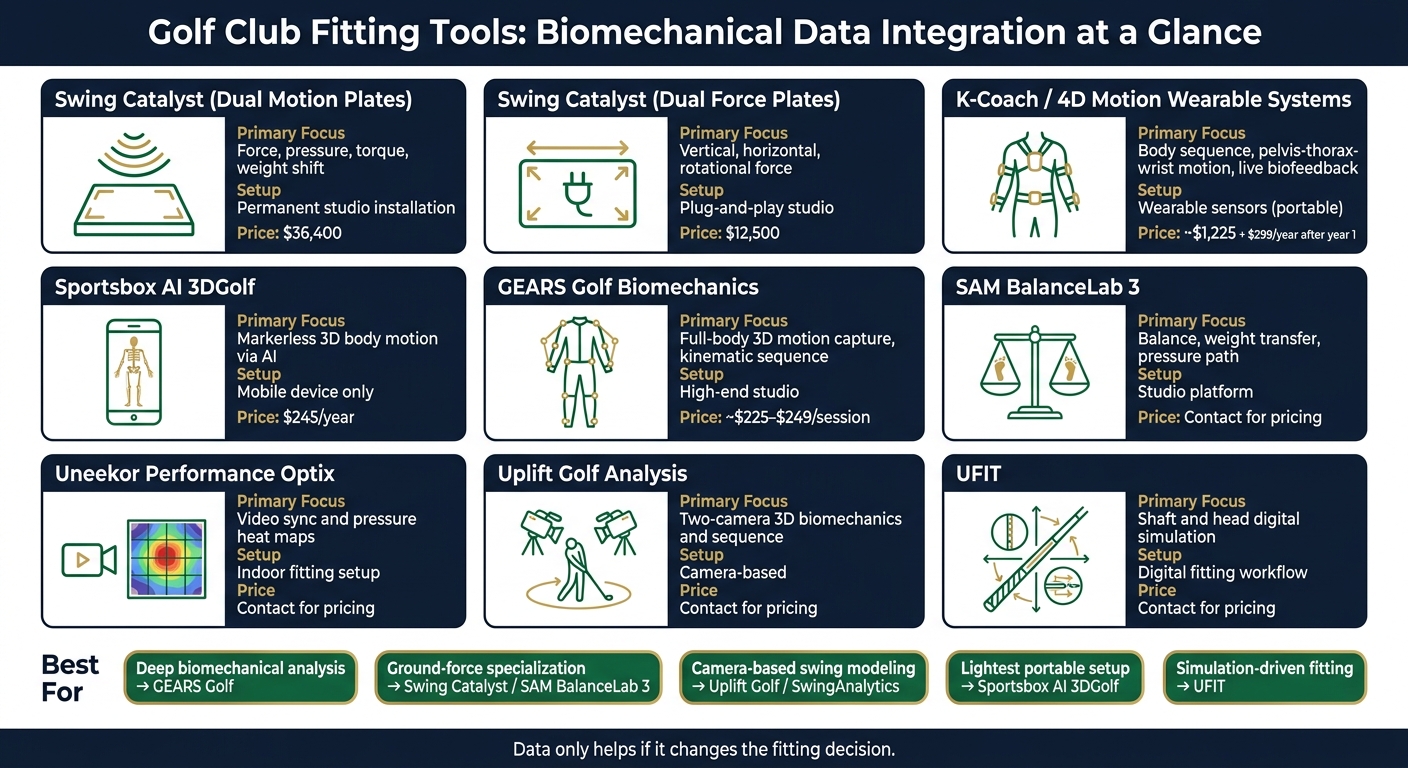
Golf Club Fitting Tools with Biomechanical Data: Side-by-Side Comparison
Biomechanics and Technology of the Modern Golf Swing
sbb-itb-bcd8bdd
Quick Comparison
| Tool | Main Use | Setup Style | Price Point |
|---|---|---|---|
| Swing Catalyst | Force, pressure, torque, weight shift | Studio / fixed or plug-and-play plates | $12,500-$36,400 |
| K-Coach / 4D Motion-type systems | Body sequence and live movement feedback | Wearable sensors | About $1,225 + $299/year after year 1 |
| Sportsbox AI 3DGolf | Markerless 3D body motion | Mobile device only | $245/year |
| GEARS Golf | Full-body 3D motion capture | High-end studio | Session pricing around $225-$249 |
| SAM BalanceLab 3 | Balance and pressure path | Studio platform | Not listed in the article |
| Uneekor Performance Optix | Video sync and pressure heat maps | Indoor fitting setup | Not listed in the article |
| Uplift Golf Analysis | Two-camera 3D biomechanics | Camera-based | Not listed in the article |
| SwingAnalytics | AI swing review and trend tracking | Camera / AI-based | Not listed in the article |
| UFIT | Shaft and head simulation | Digital fitting workflow | Not listed in the article |
If I were choosing, I’d use a simple filter:
- Pick Swing Catalyst for force and pressure detail
- Pick K-Coach for body-sequence work with wearables
- Pick Sportsbox AI 3DGolf for the lightest setup
- Pick GEARS for studio motion-capture depth
- Pick UFIT if simulation is the main part of the fitting
So the core takeaway is simple: more data only helps if it changes the club recommendation. That’s the lens the full article uses from start to finish.
How We Chose the Tools in This Roundup
Not every biomechanical fitting tool does the same job. Some are built for elite performance labs. Others make sense on a driving range with nothing more than a tablet. So we judged these tools by one thing above all: how well they connect body motion, club delivery, and ball flight.
The Main Criteria We Used
We looked at six core factors.
- Launch monitor sync with common systems like Trackman, Foresight GCQuad, or Uneekor
- Motion-capture depth, or whether the system can build a usable 3D skeleton from an 18-point body map or from 8 to 16 wearable sensors
- Force-plate support – dual force plates measure force, shear, and torque under each foot, while pressure mats do not
- Key 3D metrics such as Kinematic Sequence, X-Factor stretch, pelvic rotation, and wrist flexion/extension
- 120 fps video synced frame-for-frame with motion data
- Ease of setup and portability
"Launch monitor data tells you what happened. Performance Optix helps show why it happened." – Uneekor
Those filters help sort the tools below by depth, workflow, and how much setup they ask from the user.
What Matters Most for Everyday Golfers
For most golfers, the choice comes down to a few practical trade-offs. Studio systems need more space, more time, and a bigger budget than wearable options. Wearable sensor systems are much easier to get going. They can stream a full 3D swing model to a mobile app in seconds, while the feel of the swing is still fresh.
That’s a big deal in a fitting session. If the data shows up right away, it’s easier to tie numbers to what the player just felt. In the end, the best tool is the one that fits the space, the budget, and the way the fitting actually works.
Ranked Roundup: Golf Club Fitting Tools with Biomechanical Data Integration
These tools fit very different setups, from a full studio build to a simple mobile workflow. The list starts with the heaviest hardware setup and moves toward the lightest option you can carry around.
1. Swing Catalyst
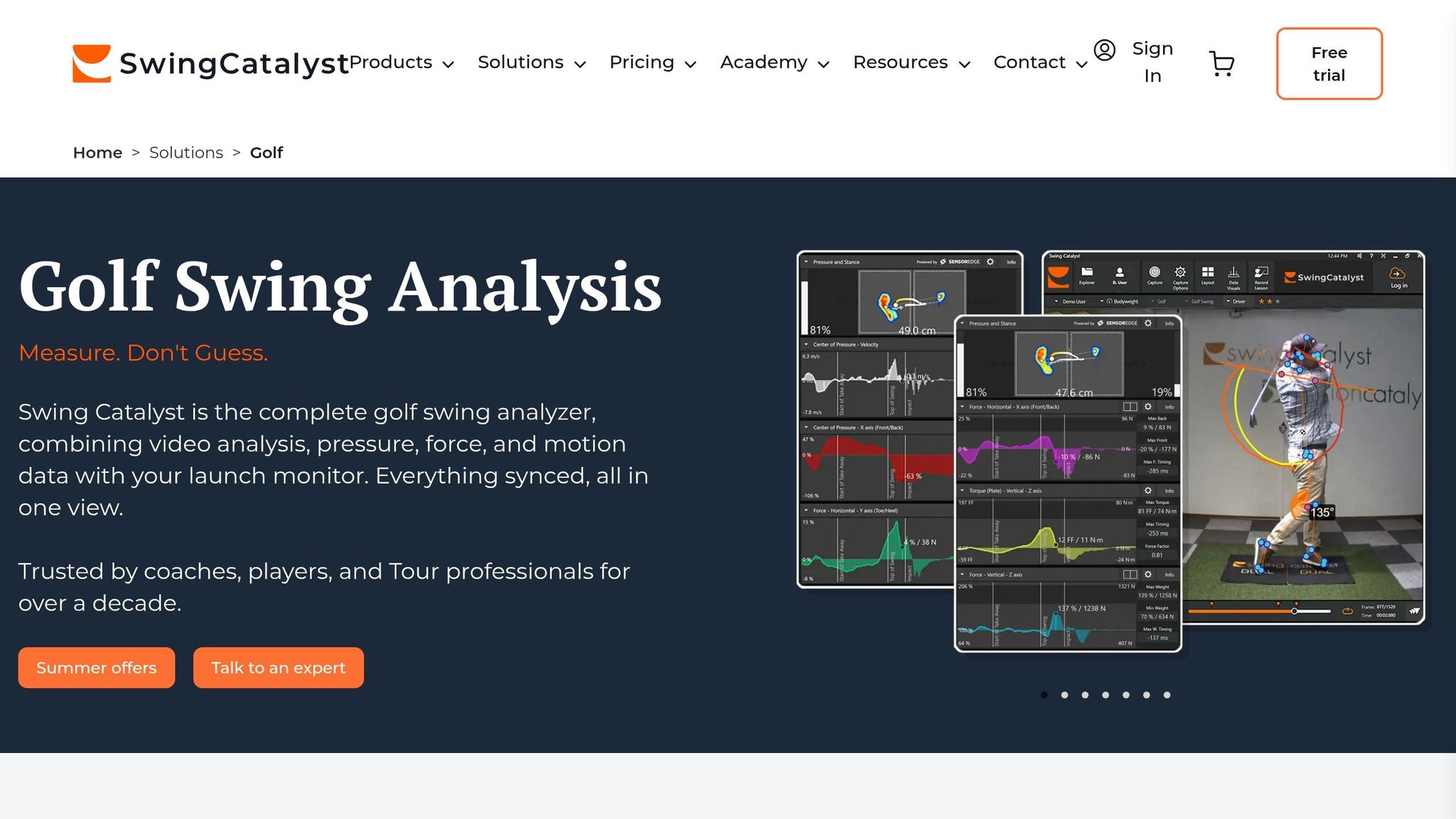
Swing Catalyst makes the most sense for fitting studios that want deep ground-force data. Its Dual Motion Plates track vertical force, horizontal shear, and torque at 1,000 Hz, which gives fitters a close look at weight-shift timing and Center of Pressure travel. That data syncs with high-speed video and launch monitor output, so you can tie one pressure trace to one ball-flight result instead of guessing. Recent studio testing also linked force-plate feedback with better peak force and tighter dispersion.
The hardware is built with studio use in mind. The Dual Motion Plates cost $36,400 before tax and are meant for permanent installation. They also need a fairly strong PC: at least an Intel i5/i7/i9 8-core processor, 16GB RAM, and an Nvidia RTX 3050.
If that setup feels like a lot, there’s a lighter option. The Dual Force Plates cost $12,500 and work as a plug-and-play system, while still tracking vertical, horizontal, and rotational forces at the same 1,000 Hz rate.
| Dual Motion Plates | Dual Force Plates | |
|---|---|---|
| Price | $36,400 | $12,500 |
| Setup | Permanent studio | Plug-and-play |
| Key Data | GRF, pressure, torque, heat maps | Vertical, horizontal, rotational force |
| Sampling Rate | 1,000 Hz | 1,000 Hz |
Best for: High-end fitting studios, performance labs, and coaches who want the deepest ground-force data possible.
2. K-Coach by K-Motion

If body sequencing matters more than force-plate data, K-Coach is a step down in hardware load and a good fit. It tracks pelvis, thorax, and wrist motion with wearable sensors, then lines that sequence up with launch monitor data. That makes it easier to explain why the club is showing up with a certain face angle or path. Instead of just seeing the outcome, the fitter gets a clearer view of the movement that led to it.
Another useful piece here is live biofeedback. Players don’t have to wait until after the swing to review what happened. They can feel a changed movement pattern in the moment, which can speed up learning during a fitting or lesson.
A related wearable setup, the 4D Motion Coach Package, starts at $1,225, with a $299 annual subscription beginning in year two.
| K-Coach / related wearable systems | |
|---|---|
| Primary Data | Pelvis, thorax, wrist angles; kinematic sequence |
| Setup | Wearable sensors |
| Portability | On-course, range, gym |
| Biofeedback | Live |
| Entry Price | About $1,225 (4D Motion Coach Package) |
Best for: Coaches and fitters focused on cause-and-effect movement analysis, especially when they want to connect body sequencing to club-delivery numbers without using a fixed studio setup.

3. Sportsbox AI 3DGolf
Sportsbox AI 3DGolf is the lightest setup in the group. No wearables, no suits, no sensor pack. It uses AI-powered markerless motion capture: record the golfer with a standard mobile device, and the software turns that video into a 3D skeletal model without extra sensors or calibration steps.
That simple setup is the big draw. You still get 3D movement data, but without adding more hardware to the bag. It also syncs with launch monitor data, which helps fitters connect body motion with what the club and ball are doing.
On price, it’s also the lowest-cost option here. The Home Edition with MoCap costs $245 per year.
| Sportsbox AI 3DGolf | |
|---|---|
| Primary Data | 3D skeletal body segments (AI-based) |
| Setup | Mobile device only |
| Launch Monitor Sync | Yes |
| Annual Cost | $245/year |
Best for: Coaches, independent fitters, and serious amateurs who want 3D movement data without lab infrastructure and without extra hardware.
More Tools to Consider and a Side-by-Side Comparison
Gears Golf Biomechanics, Uplift Golf Analysis, and SwingAnalytics
If you want a broader look beyond the top three, these tools cover some key needs in studio and camera-based fitting setups.
GEARS Golf Biomechanics is a high-end studio motion-capture system that delivers real-time full-body tracking with no estimation. It fits best in studios and academies that want detailed kinematic sequence data tied straight to club delivery. Velocity Golf puts it like this:
"Unlike traditional launch monitors that show you results, GEARS shows how your body actually moves – so we can connect biomechanics, club delivery, and ball flight with total clarity."
Pricing is steep. Individual sessions cost about $249 for an adult lesson and analysis, or $225 for a data-only session.
Uplift Golf Analysis uses two cameras to produce 3D biomechanics and sequence data. SwingAnalytics takes a different route, using AI keypoint tracking for frame-by-frame review and trend analysis.
| Tool | Pros | Cons |
|---|---|---|
| GEARS Golf | No estimation; full-body tracking; Tour-level accuracy | High cost; studio-based setup |
| Uplift Golf | Two-camera 3D biomechanics; sequence insights | Less specialized than full motion capture |
| SwingAnalytics | AI-driven; frame-by-frame review; trend analysis | Better for review and tracking than deep fitting analysis |
Full Feature Comparison Table
This table tightens the comparison by showing the kind of data each system adds to a fitting workflow. In plain English, these are the tools people turn to when they want more than launch data alone – things like force plates, pressure mapping, or studio sync.
| Tool | Primary Focus | Fitting Problem It Solves |
|---|---|---|
| GEARS Golf | Full-body 3D motion capture | Connecting body sequencing to club delivery |
| Swing Catalyst Dual Motion Plates | Force and pressure mapping | Diagnosing ground-force and weight-shift issues |
| SAM BalanceLab 3 | Balance and weight transfer | Identifying stability and pressure-path problems |
| Uneekor Performance Optix | Video sync and pressure heat maps | Linking impact pressure to ball-flight outcomes |
| UFIT | Digital fitting simulation | Running data-driven shaft and head simulations |
Best Tool by Use Case
Features are one thing, but most fitters pick tools based on workflow. That’s the part that matters day to day: what problem are you trying to solve, and what setup can do it without slowing everything down?
For deep biomechanical analysis, GEARS Golf stands out. Its full-body tracking and kinematic sequence data show how power moves through the swing. If your focus is ground-force specialization, Swing Catalyst Dual Motion Plates and SAM BalanceLab 3 are the better match.
If you want simpler camera-based swing modeling, Uplift Golf Analysis and SwingAnalytics both work without a full motion-capture studio. Uplift gives 3D biomechanical data from a two-camera setup. SwingAnalytics leans more toward frame-by-frame review and trend tracking.
For multi-source fitting workflows, where launch monitor data, pressure data, and video all need to work together, Swing Catalyst and SAM BalanceLab 3 make the most sense. If the goal is clear feedback without a studio build, Uneekor Performance Optix and UFIT are the more practical starting points.
| Use Case | Best Tool |
|---|---|
| Deep biomechanical analysis | GEARS Golf Biomechanics |
| Ground-force specialization | Swing Catalyst Dual Motion Plates / SAM BalanceLab 3 |
| Simpler camera-based swing modeling | Uplift Golf Analysis / SwingAnalytics |
| Multi-source fitting workflows | Swing Catalyst / SAM BalanceLab 3 |
| Clear feedback without a studio build | Uneekor Performance Optix / UFIT |
Conclusion: Picking the Right Tool for Your Fitting Setup
When you compare these tools side by side, the trade-off comes down to three things: depth, portability, and workflow.
Swing Catalyst is the better fit for a studio-first setup focused on force and pressure analysis. UFIT leans more toward simulation-driven fitting decisions. Uneekor Performance Optix makes the most sense for indoor setups that combine video with balance data. That same logic runs through the whole roundup: studio depth, simulation, and indoor workflow integration are the main factors that set these tools apart.
The big question isn’t how much data you can collect. It’s whether that data helps explain the miss. More numbers only matter if they change the fitting decision.
The best biomechanical fitting tools don’t replace judgment – they sharpen it. Good data should make equipment choices clearer, not harder.
FAQs
Which fitting tool is best for my budget?
The best tool for your budget comes down to how you want to get fit.
If you want a remote, do-it-yourself option, home-based AI tools are usually the better fit. They can cut out travel time and help you avoid the added cost of a shop visit. That makes them a solid pick if you want convenience without a big upfront commitment.
For at-home fitting, Athletic Motion iFitting and IzettFIT both support remote use. On the other end of the range, studio-level systems like Swing Catalyst Dual Motion Plates cost far more and are usually built for pro facilities, not casual buyers.

One more thing to check: how the tool charges you. Some products use a subscription, while others are a one-time purchase. That small detail can make a big difference in what you end up spending over time.
Do I need force plates for a useful club fitting?
Force plates aren’t required for a useful club fitting. You can still get a lot from a fitting that uses 3D motion capture and launch monitors.
That said, force plates add another layer of detail. They show ground reaction forces and weight shift, which helps explain how you move through the swing.
When you add force plate data, the fitter gets a clearer picture of how you create energy and sequence the swing. That can make it easier to match equipment to the way you actually move, not just what the ball flight shows.
How does biomechanical data improve club recommendations?
Biomechanical data improves club recommendations by looking past ball flight alone and getting to the physical reasons behind your swing patterns.
By tracking metrics like joint angles, weight shift, force production, and kinematic sequencing, fitting tools can match club specs such as shaft weight, length, and lie angle to your physical abilities. That leads to better movement efficiency, more center-face contact, more power, and tighter accuracy.
Related Blog Posts
- Top AI Tools for Custom Golf Club Fitting
- Ultimate Guide to Golf Shaft Optimization Software
- How Swing Sensors Track Biomechanics in Real Time
- Latest Research on Impact Feedback Wearables
